SaaS Ideas 2026: 7 Micro-SaaS Ideas Worth Building
Every few months I see the same post on social media: “Here are 50 SaaS ideas you can build this weekend.” Someone screenshots a list of generic names — “AI resume builder,” “AI email writer,” “AI workout planner” — and the post gets thousands of likes.
Then nothing happens. Because a list of ideas isn’t the hard part. It never was.
If you are looking for SaaS ideas 2026, the real opportunity is not another generic AI tool. It is finding a narrow problem, validating it properly and building the smallest useful version people would actually pay for.
The hard part is picking something narrow enough that you can actually build it, real enough that someone will pay for it, and clear enough that you know what “done” looks like before you start.
I want to do something different in this article. Instead of giving you another wall of generic ideas, I’ll walk through how to think about SaaS ideas properly — the kind of thinking that turns “I should build something” into something that actually gets built and actually gets used. Then I’ll give you genuinely practical ideas, the validation process I’d use for each one, and how AI tools have completely changed what “building a SaaS” even means in 2026.
Why Most SaaS Ideas Never Go Anywhere
Before the ideas — a quick word on why most of these lists are useless in practice.
They’re too broad. “AI content generator” isn’t an idea. It’s a category with thousands of existing products in it. There’s no angle, no specific user, no reason anyone would choose yours over ChatGPT itself.
They assume building is the hard part. It used to be. In 2026, building a working prototype is genuinely the easy part — tools like Lovable, Bolt, Base44 and Cursor mean a working app can exist within days. The hard part has shifted entirely to: does anyone want this, and will they pay?
They skip validation entirely. Most people go from idea to building with nothing in between. Three months later they have a product nobody asked for.
The good news is that all three of these problems are fixable — and AI tools make fixing them faster than ever before.
The Shift That Changes Everything: Micro-SaaS
A few years ago, “building a SaaS” meant hiring developers, raising money, and spending six months before you had anything to show anyone.
That’s no longer true. Micro-SaaS — small, focused tools that solve one specific problem for one specific type of user — is where most of the realistic opportunity sits now. And AI-assisted building tools have made the build phase dramatically faster and cheaper.
A micro-SaaS doesn’t need to be the next big platform. It needs to:
- Solve one real problem
- For one identifiable group of people
- Well enough that they’d pay a small monthly fee rather than deal with the problem manually
That’s it. Many of the best micro-SaaS products are almost boring on the surface — a tool that does one specific thing for one specific group of people, reliably, every month.
How I’d Actually Validate a SaaS Idea (Before Building Anything)
Before any of the ideas below, here’s the process I’d use — and the process I think most people skip.
Step 1 — Find the Problem, Not the Solution
Most ideas start backwards: “I want to build an AI tool that does X.” Better ideas start with: “I keep seeing people struggle with Y.”
The best place to find these is anywhere people complain about their work. Reddit threads, Facebook groups for specific industries, reviews of existing tools (especially the negative ones), and — if you run any kind of business already — your own daily frustrations.
When I built the booking system for my wife’s holiday club business, the “idea” wasn’t really an idea. It was watching her juggle JotForm, Square, WhatsApp and a notebook and thinking “this is clearly broken, and I bet it’s not just her.”
That’s the pattern. Real problems are visible if you’re paying attention.
Step 2 — Talk to 5–10 People Who Have the Problem
Not a survey. Actual conversations. Ask them how they currently handle it, what they’ve tried, what they’d pay to make it go away.
You’re listening for two things: how painful is this really (do they actively avoid dealing with it, or is it a minor annoyance?), and how are they currently solving it (a janky spreadsheet often means high pain — they wouldn’t bother if they didn’t need it).
Step 3 — Build a Fake Front Door
Before writing any code, create a simple landing page describing the product as if it exists. Use Lovable or Framer — this takes an afternoon. Drive a small amount of traffic to it (a relevant community, a few cold messages, a small ad budget) and see if anyone tries to sign up.
If nobody clicks “get started” on a free landing page, that’s valuable information — gathered without writing a single line of application code.
Step 4 — Build the Smallest Possible Version
Once there’s signal that people want this, build the absolute minimum version that solves the core problem. Not the full vision. The one thing that matters most.
This is where AI app builders genuinely shine. A focused prompt describing exactly what the core workflow needs to do can produce a working prototype in days, not months — as long as the prompt itself is well thought through (which, conveniently, is exactly what we covered in the prompt engineering guide).
Step 5 — Get Real Users Before Adding Features
Resist the urge to keep building. Get the smallest version in front of the people from Step 2. Their actual usage — what they use, what they ignore, where they get stuck — tells you more than any amount of additional building would.
SaaS Ideas 2026: 7 Micro-SaaS Ideas Worth Exploring
With that process in mind, here are ideas that fit the micro-SaaS model — narrow, specific, and realistically buildable with AI-assisted tools. For each one, I’ve included who it’s for and what validation would look like.
1. Niche Booking and Scheduling Tools
Generic booking software exists for everything. What doesn’t exist is booking software built around the specific quirks of a niche industry.
Think: booking software for mobile dog groomers (with route planning between appointments), booking software for music teachers (handling recurring weekly slots and term-based billing), or booking software for photographers (handling deposits, contracts and gallery delivery in one flow).
Who it’s for: small service businesses in a specific niche, currently using generic tools that almost-but-not-quite fit their workflow.
Validation: find Facebook groups for the specific niche, search for complaints about existing booking tools (“does X support Y?”), and talk to 5 business owners about their current setup.
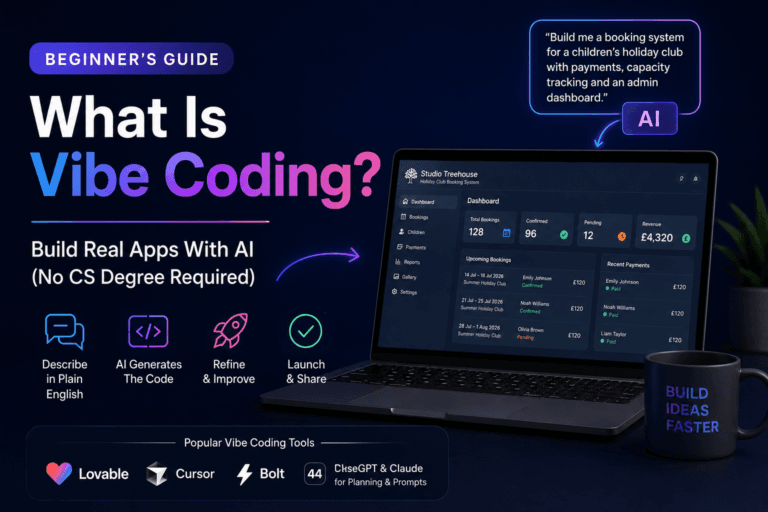
I’ve seen this pattern firsthand — the booking system I built for Studio Treehouse works precisely because it’s built around the specific reality of running a children’s holiday club, not because it’s a generic booking tool with the logo changed.
2. AI-Powered Reporting for a Specific Platform
Most businesses use 3–5 different tools (a CRM, an ad platform, an analytics tool, a payment processor) and nobody has time to check all of them regularly.
A tool that connects to one or two specific platforms, pulls the relevant numbers weekly, and uses AI to generate a plain-English summary — “Your conversion rate dropped 12% this week, mainly driven by mobile traffic” — solves a real recurring pain.
Who it’s for: small marketing teams, agencies, solo founders who don’t have time for manual reporting.
Validation: this is a feature many people wish their existing tools had. Search for “[platform name] + weekly report” or “[platform name] + summary” to find existing demand and complaints.
3. Client Portal Generators for Service Businesses
Freelancers and small agencies often want a professional client portal — somewhere clients can see project status, invoices, files and updates — but building one from scratch is overkill, and generic project management tools feel clunky for this specific use case.
A tool that lets a freelancer set up a branded client portal in minutes — project status, shared files, simple messaging, invoice tracking — fills a real gap between “nothing” and “enterprise project management software.”
Who it’s for: freelancers, consultants, small agencies who want to look more professional to clients without adopting heavyweight tools.
Validation: look at how many people in freelancer communities ask “what do you use for client portals?” — it’s a surprisingly common question with no clearly dominant answer.
4. Industry-Specific AI Assistants
General AI chatbots are everywhere. What’s less common are AI assistants trained specifically on one industry’s knowledge — built using retrieval-augmented generation (RAG), which we covered in detail in the prompt engineering guide.
Examples: an AI assistant for UK landlords that knows current tenancy regulations, an AI assistant for personal trainers that helps write programmes based on a specific training methodology, or an AI assistant for wedding venues that can answer the same 20 questions every couple asks.
Who it’s for: anyone in an industry with repetitive, specific questions that a general AI tool answers poorly or generically.
Validation: the WhatsApp AI agent I’m currently planning for Studio Treehouse is exactly this pattern — parents ask the same handful of questions repeatedly, and a focused assistant trained on the actual business information would handle most of them.
5. “Glue” Tools That Connect Two Specific Platforms
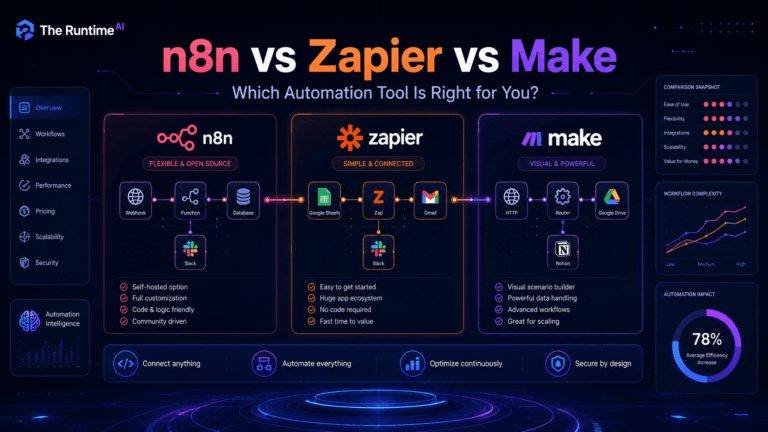
Zapier and Make connect almost everything — but sometimes two specific tools used by a specific industry don’t have a clean integration, and people are stuck exporting CSVs and manually uploading them.
A focused tool that does one specific sync — reliably, with good error handling, built for one industry’s specific use case — can be genuinely valuable even though “integration tools” sounds like a crowded space.
Who it’s for: businesses using two specific tools that don’t talk to each other well, currently relying on manual exports and imports.
Validation: search for “[tool A] + [tool B] + integration” — if you find forum threads of people asking for this and being told “not currently possible,” that’s a signal.
6. Compliance and Documentation Tools for Small Businesses
Every industry has some form of compliance paperwork that small business owners dread — health and safety records, GDPR documentation, accessibility statements, insurance renewals.
A tool that walks a business owner through generating and maintaining the specific documents their industry requires — with reminders for renewals — turns an annual headache into a five-minute task.
Who it’s for: small business owners in regulated or semi-regulated industries (childcare, food service, healthcare-adjacent, trades).
Validation: search government and industry association websites for “[industry] + compliance checklist” — if these exist as static PDFs that businesses have to manually work through, that’s an opportunity.
7. AI-Assisted Proposal and Quote Generators for Trades
Tradespeople — builders, electricians, landscapers — often lose jobs not because their work is worse, but because their quote takes three days to arrive while a competitor’s arrives in three hours.
A tool where a tradesperson inputs basic job details (verbally, even — voice-to-text) and gets a professional, branded quote generated in minutes, with AI handling the formatting and standard terms, addresses a genuinely common pain point.
Who it’s for: independent tradespeople and small contracting businesses who currently write quotes manually in Word or by hand.
Validation: trade-specific Facebook groups are full of people asking for quote template recommendations — that’s the validation, sitting in plain sight.
What These Ideas Have in Common
Look back through that list and you’ll notice a pattern: none of them are “build an AI [generic thing].” Every one of them is narrow, specific, and tied to a recognisable group of people with a recognisable problem.
That’s deliberate. The micro-SaaS opportunities that actually go somewhere in 2026 aren’t won on having access to AI — everyone has access to AI now. They’re won on understanding a specific problem better than a generic tool ever could, and building something that fits that problem precisely.
How AI Tools Change the Build Phase
Once you’ve validated an idea — even just the early signals from a fake front door and a handful of conversations — the build phase looks completely different than it did even two years ago.
The best SaaS ideas 2026 are not always the most exciting ones. They are usually the ideas attached to painful, repetitive problems people already try to solve manually.
Lovable, Bolt, Base44 and similar tools let you describe the application in plain English and get a working prototype. The quality of what you get depends heavily on how well you’ve thought through the user journey before you start — which is exactly the planning process covered in how I built the booking system for Studio Treehouse.
Supabase gives you a real database without needing to set up backend infrastructure — ideal for a micro-SaaS that needs to store user data, bookings, records or any structured information.
Stripe handles payments and subscriptions with minimal setup, meaning the “SaaS” part of micro-SaaS — recurring billing — is no longer a technical barrier.
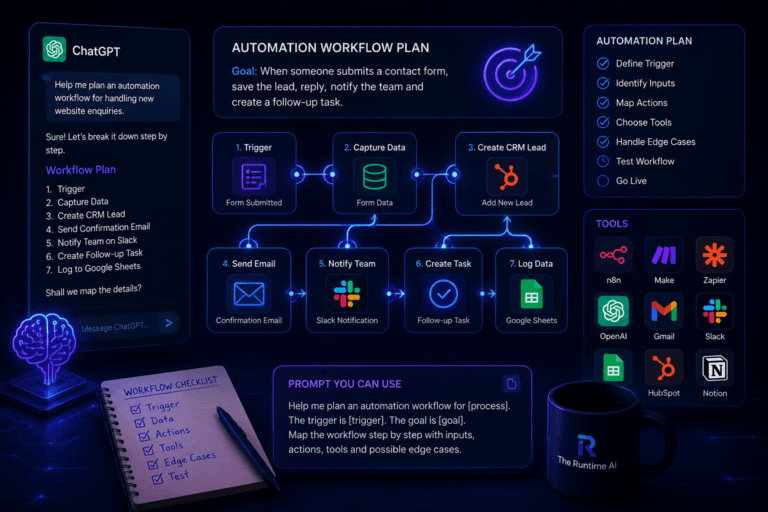
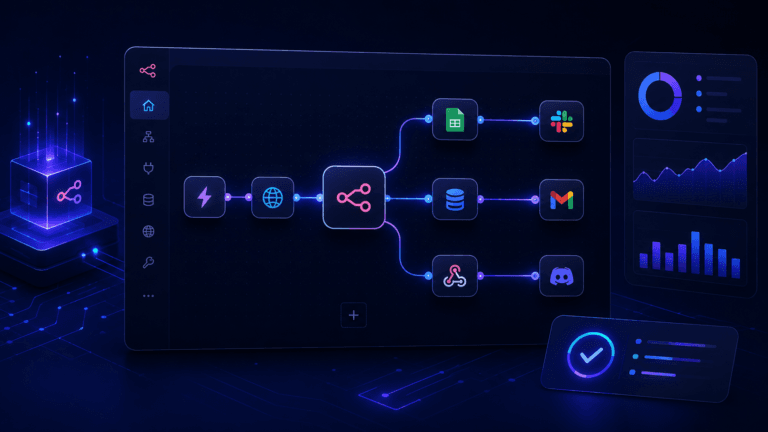
n8n or Make can handle the operational glue — sending emails, processing webhooks, connecting to other services — without needing a dedicated backend developer.
The combination means a genuinely useful first version of most of the ideas above could realistically go from “validated idea” to “working product with paying customers” in a matter of weeks, not months — provided the idea itself is sound and the prompts driving the build are clear.
A Final Word on Picking Your Idea
If you’re looking at this list and feeling overwhelmed by choice, here’s the honest filter I’d apply:
When choosing between different SaaS ideas 2026, start with the problem you understand best, not the idea that sounds most impressive on social media.
Pick the one where you already understand the problem. Not the one that sounds most exciting or most “AI.” The one where you’ve either experienced the problem yourself, or you know someone who has, and you could have a genuinely useful conversation with them tomorrow about how they currently cope.
That head start — real understanding of a real problem — is worth more than any clever feature or technical advantage. It’s the difference between guessing what people want and already knowing.
Start there. Validate before you build. And when you do build, build the smallest version that actually solves the problem — not the version with every feature you can imagine.
That’s how small, focused tools turn into real businesses.