AI Agents vs Automation: What’s the Difference?
Everyone is talking about AI agents.
AI agents for marketing. AI agents for sales. AI agents for customer support. AI agents that answer emails, update CRMs, research competitors, write reports and probably, if left unsupervised for long enough, try to reorganise your Google Drive into a system only they understand.
But here is the problem: a lot of people are using the words AI agent and automation as if they mean the same thing.
They do not.
Traditional automation is not dead. AI agents are not magic. And no, you probably do not need an “autonomous multi-agent workflow architecture” to send a confirmation email. Sometimes you just need a normal workflow that does what it is told and does not start philosophising about the nature of customer support.
So in this guide, we are going to make the difference clear.
If you are trying to understand AI agents vs automation, the simplest explanation is this:
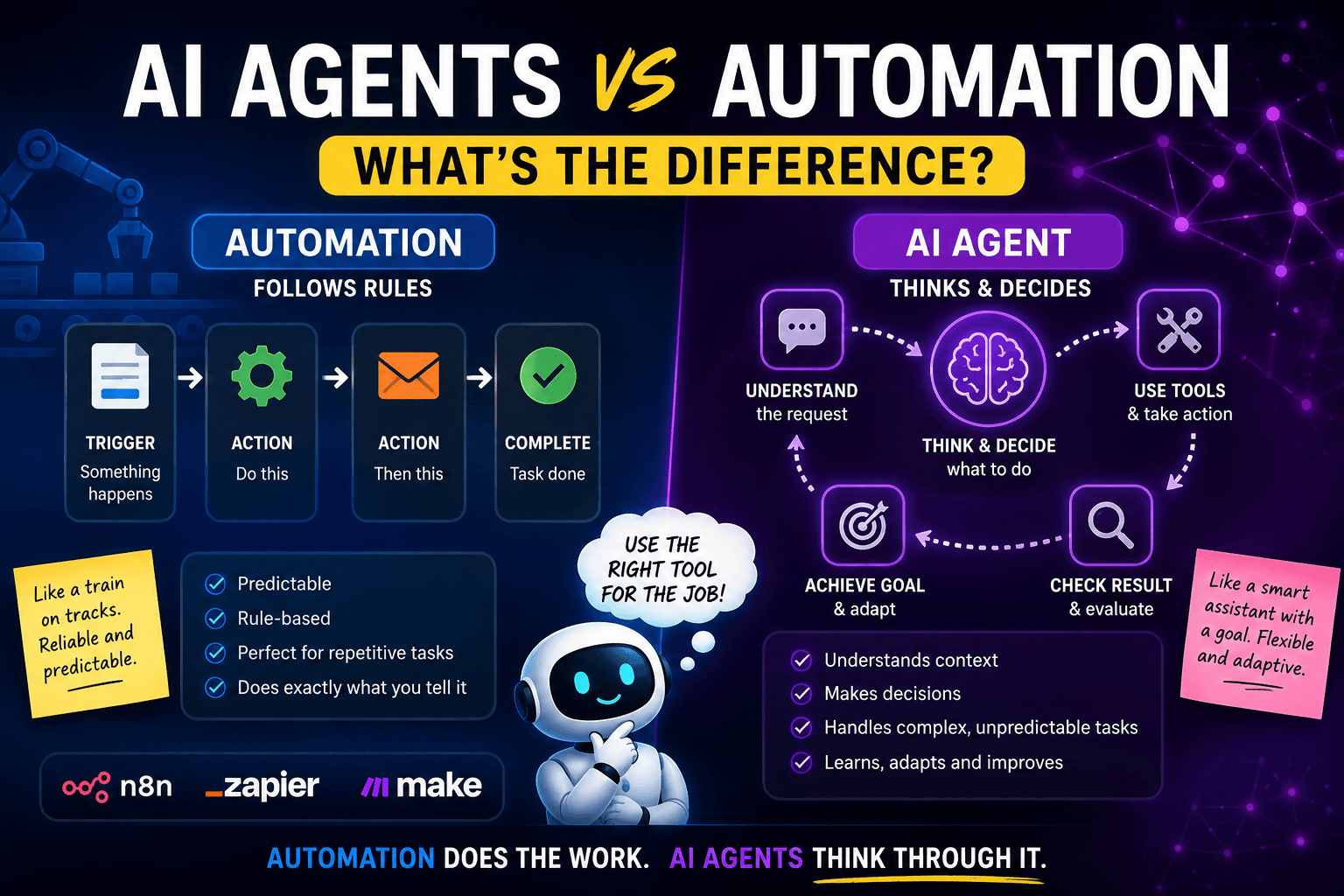
Automation follows predefined rules.
AI agents work toward a goal and decide what steps to take.
That is the core difference.
Understanding AI agents vs automation matters because both can save time, but they solve different types of problems.
And once you understand that, it becomes much easier to know when to use automation, when to use an AI agent, and when to combine both without accidentally building a tiny digital intern with too much confidence and not enough supervision.
Why Everyone Is Talking About AI Agents
AI agents have become one of the biggest buzzwords in tech.
Partly because they are genuinely useful.
Partly because every software company has looked at the word “agent” and thought:
Excellent. We can put this on the homepage and increase the font size.
But behind the hype, there is a real shift happening.
For years, most business automation worked like this:
- Something happens.
- A workflow is triggered.
- The workflow follows rules.
- The workflow completes a task.
For example:
- A form is submitted.
- The details are saved to a spreadsheet.
- An email is sent.
- A Slack message is posted.
- A CRM record is created.
That is automation.
It is predictable, structured and extremely useful.
AI agents add a different layer. Instead of only following fixed rules, an agent can interpret a situation, choose between tools, make decisions and complete a task based on a goal.
For example:
“Review this customer enquiry, decide whether it is a sales lead, support request or refund issue, check the customer history, draft a reply and suggest the next action.”
That is closer to an AI agent.
The agent is not just following a fixed path. It is making decisions along the way.
That sounds powerful because it is.
It also sounds risky because it can be.
A normal workflow is like a train on tracks. Reliable, predictable, not very creative.
An AI agent is more like giving a smart assistant a map, a phone, a laptop and a vague instruction like “sort this out”.
Very useful. But maybe do not give it your bank card and leave the room.
What Is Traditional Automation?
Traditional automation is a workflow that follows predefined steps.
It usually works with logic like:
When this happens, do that.
For example:
- When a customer fills in a form, send a confirmation email.
- When an invoice is paid, update the CRM.
- When a new booking is created, reduce available capacity.
- When a file is uploaded, notify the right person.
- When a support ticket is marked urgent, alert the team.
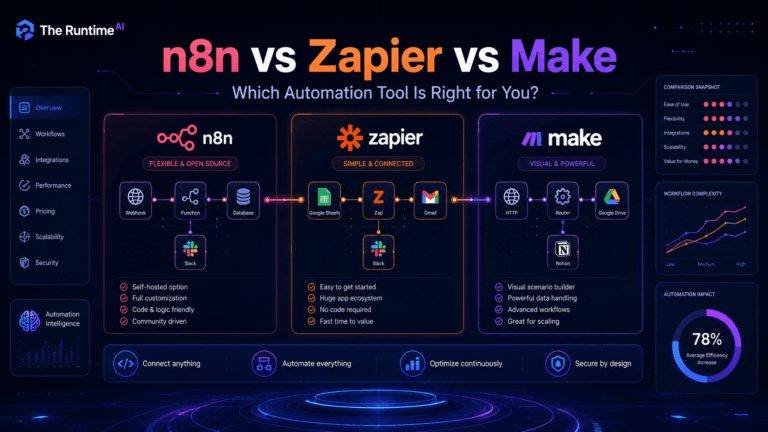
This is the kind of automation you build with tools like n8n, Zapier and Make.
If you want a beginner-friendly comparison of those tools, I covered that in n8n vs Zapier vs Make: Which Automation Tool Should You Use?.
Traditional automation is brilliant when the process is clear.
It is especially good for tasks that are:
- Repetitive
- Rule-based
- Predictable
- High-volume
- Low-judgement
- Easy to test
A basic automation does not need to “think”. It needs to execute.
That is not a weakness. That is the whole point.
If someone books a workshop and pays successfully, the system should send a confirmation email. It should not stop and ask itself whether the concept of booking is socially constructed.
Just send the email, please.
What Is an AI Agent?
An AI agent is an AI system that can work toward a goal, use tools and decide what action to take based on context.
A simple chatbot usually responds to a message.
An AI agent can do more than respond. It can:
- Understand a goal
- Review information
- Choose a tool
- Take an action
- Check the result
- Decide what to do next
- Sometimes ask for clarification
- Sometimes hand the task back to a human
For example, instead of saying:
“If form submitted, send email.”
You might say:
“Review this enquiry, decide what kind of request it is, check if the person is already in the CRM, draft a helpful reply, and suggest whether this should be followed up today.”
That requires judgement.
The agent may need to decide:
- Is this a sales lead?
- Is this a support request?
- Is the message urgent?
- Is information missing?
- Should the customer be asked a follow-up question?
- Should this go to a human?
- Which tool should be used next?
That is where AI agents become useful.
OpenAI describes agents as AI models configured with instructions, tools and optional behaviour such as handoffs, guardrails and structured outputs. In other words, an agent is not just a chat window. It is an AI system with a job, some tools and rules about how it should behave.
n8n also has an AI Agent node that can use connected tools and APIs inside workflows. That is where things get interesting for automation builders.
Because once an agent can use tools, it can stop being “just a clever text generator” and start becoming part of a real workflow.
Useful? Absolutely.
Something to trust blindly with your entire business after one test run? Absolutely not.
AI Agents vs Automation: The Simple Difference
Here is the cleanest way to understand it.
Traditional automation is best when you already know the steps.
AI agents are useful when the system needs to decide the steps.
Traditional automation
Automation follows a fixed process:
If X happens, do Y.
Example:
If a customer submits a form, save the details and send an email.
The workflow does not need to understand the message deeply. It just needs to move data from one place to another.
AI agent
An AI agent works toward a goal:
Understand the request and decide what should happen next.
Example:
Read the customer message, decide whether it is a sales enquiry, complaint, refund request or technical issue, then suggest the next action.
The agent needs context. It needs instructions. It may need tools. It may need to choose between possible actions.
The short version
| Question | Traditional Automation | AI Agent |
|---|---|---|
| Does it follow fixed steps? | Yes | Sometimes |
| Does it make decisions? | Limited | Yes |
| Is it predictable? | Very | Less predictable |
| Is it easier to test? | Yes | Usually harder |
| Best for | Repetitive workflows | Judgement-based tasks |
| Risk level | Lower | Higher |
| Needs guardrails? | Sometimes | Definitely |
The mistake many people make is thinking AI agents replace automation.
They do not.
The best systems often use both.
Automation handles the boring, reliable, structured work.
AI agents handle the messy, language-heavy, judgement-based bits.
It is like having a very organised office manager and a clever assistant.
One makes sure the forms go to the right place. The other reads the weird customer email that starts with “Hi, bit of a strange one…” and works out what it actually means.
Example 1: Website Enquiry Workflow
Let’s say someone fills in a contact form on your website.
They write:
“Hi, we run a small children’s activity business and we’re struggling with bookings. Parents message us on WhatsApp, payments come through Square, and we keep tracking everything manually. Can you help?”
A traditional automation can do this:
- Save the form submission.
- Send a confirmation email.
- Add the person to a CRM.
- Notify you in Slack or email.
- Create a task for follow-up.
That is already useful.
But an AI agent could add another layer:
- Read the message.
- Identify the problem as “booking system”.
- Detect that it involves payments, WhatsApp and manual tracking.
- Suggest a priority level.
- Draft a personalised reply.
- Recommend the next action.
- Add a note to the CRM.
That is where the difference becomes obvious.
The automation moves the data.
The agent understands the message.
This is exactly the kind of thing that becomes useful when you are building real business workflows. If you are new to planning workflows, read How to Use ChatGPT to Plan an Automation Workflow first. It will save you from building a workflow that looks impressive but behaves like a toaster with a LinkedIn account.
Example 2: Booking System Support
Imagine you run a holiday club or workshop business.
A parent sends this message:
“Hi, I booked my son for Tuesday and Wednesday but I think I selected the wrong date. Also, do you still have space for Thursday?”
A normal automation can only help if the message fits a known structure.
For example:
- If booking ID is included, look up booking.
- If date change requested, notify admin.
- If availability requested, send capacity link.
That works when the message is clean.
But real messages are rarely clean.
People write like humans, not API payloads.
They forget details. They use different wording. They mix three requests in one message. Sometimes they write “next Thursday” and expect the system to understand which Thursday they mean, despite the fact that time itself is apparently now a customer-service issue.
An AI agent can help by interpreting the message:
- The parent wants to change an existing booking.
- They also want to check availability.
- The message is missing the child’s name or booking reference.
- The next step is to ask for clarification or check the booking database.
The safest setup would be:
- Automation receives the message.
- AI agent analyses it.
- Agent suggests a response.
- Human reviews it before sending.
- Once approved, automation sends the reply.
That is a good balance.
You get the speed of AI without giving it full control over customer communication too early.
For a real-world example of how AI tools can support booking systems, read How I Built a Booking System Using AI Tools and Automation.
Example 3: Content Research Workflow
Let’s say you run a blog like The Runtime AI and want to publish articles about AI tools, automation and SaaS ideas.
A traditional automation can help with:
- Creating a content calendar
- Saving article ideas
- Sending reminders
- Updating a spreadsheet
- Publishing social snippets
- Notifying you when a draft is ready
An AI agent can help with more judgement-heavy tasks:
- Reviewing search intent
- Comparing article angles
- Suggesting missing sections
- Finding weak introductions
- Rewriting meta descriptions
- Creating FAQ ideas
- Checking whether an article sounds too robotic
The agent is not just moving content from A to B.
It is helping evaluate the work.
That does not mean it should publish everything automatically while you go make coffee.
Tempting, yes.
Wise, no.
The better setup is:
- Automation collects and organises the content tasks.
- AI agent helps research, structure or improve the draft.
- You review the final article.
- Automation handles publishing support, indexing reminders or social sharing.
This is the same idea behind many modern AI workflows.
Use automation for structure.
Use AI for judgement.
Use humans for taste, final decisions and preventing the phrase “unlock unprecedented synergies” from appearing anywhere near your website.
When You Should Use Automation
Use traditional automation when the process is clear and predictable.
It is usually the better choice when:
- The task follows the same steps every time.
- The data is structured.
- There is little room for interpretation.
- Mistakes would be annoying or costly.
- You need reliability more than creativity.
- The workflow is easy to test.
Good examples include:
- Sending confirmation emails
- Updating spreadsheets
- Creating CRM records
- Sending invoices
- Copying form submissions
- Syncing calendar bookings
- Notifying a team when something happens
- Exporting reports
- Moving files between folders
- Backing up data
In these cases, adding an AI agent may make the system more complicated without making it better.
Not everything needs a brain.
Your invoice reminder does not need to “reason deeply” about why Dave from accounts has not paid yet. It just needs to send the reminder.
Automation is boring in the best possible way.
And in business systems, boring is often beautiful.
When You Should Use an AI Agent
Use an AI agent when the task involves interpretation, judgement or flexible decision-making.
AI agents are useful when:
- The input is messy or written in natural language.
- The system needs to choose between possible actions.
- The task changes depending on context.
- The AI needs to use tools.
- The workflow needs reasoning before action.
- A human would normally read, understand and decide.
Good examples include:
- Classifying customer enquiries
- Drafting personalised responses
- Reviewing support messages
- Summarising long documents
- Researching topics
- Extracting useful details from messy text
- Deciding which workflow should run next
- Creating first-draft reports
- Checking whether a lead is a good fit
- Suggesting next actions in a CRM
The key phrase is “suggesting next actions”.
Especially at the beginning, agents should often recommend rather than execute.
That keeps the risk lower.
A good early agent is like a helpful assistant who says:
“I think this is a refund request, here is a draft reply, and I recommend assigning it to support.”
A risky early agent says:
“I refunded the customer, updated the CRM, cancelled their subscription and wrote a poem about the experience.”
Helpful? Maybe.
Terrifying? Definitely.
When You Should Use Both Together
The best AI systems usually combine automation and agents.
Here is a simple structure:
- Automation triggers the workflow.
- AI agent analyses the situation.
- Automation handles the reliable steps.
- Human approval is added for risky actions.
- Automation records the outcome.
For example, a website enquiry workflow could look like this:
- Contact form submitted.
- Automation saves the enquiry.
- AI agent classifies the message.
- AI agent drafts a reply.
- Human reviews the reply.
- Automation sends the email.
- CRM is updated.
- Follow-up reminder is created.
That is much better than choosing one side.
The automation gives you structure and reliability.
The agent gives you flexibility and intelligence.
The human gives you judgement and taste.
Together, they create a system that is useful without becoming chaos with a login page.
If you want to build your first simple version of this kind of workflow, start with How to Build Your First AI Automation Workflow with n8n and ChatGPT.
The Big Mistake: Using Agents for Everything
This is where people get carried away.
They discover AI agents and suddenly everything becomes an agent problem.
- Email confirmation? Agent.
- Invoice reminder? Agent.
- File upload? Agent.
- Button click? Agent.
- Making toast? Probably agentic toast orchestration.
Please do not do this.
AI agents are powerful, but they introduce uncertainty.
A normal automation is predictable. If the input is correct and the steps are configured properly, it does the same thing every time.
An AI agent may respond differently depending on wording, context, model behaviour or available tools.
That is not always bad.
But it means you should use agents where flexibility is valuable, not where consistency is essential.
Use automation when the task is simple and fixed.
Use agents when the task is messy and needs interpretation.
If you use agents for everything, your system becomes harder to test, harder to debug and harder to trust.
And nobody wants a business workflow that behaves like it had three espressos and read a startup manifesto.
How n8n, Zapier and Make Fit In
Tools like n8n, Zapier and Make are no longer just automation platforms. They are becoming places where automation and AI meet.
n8n
n8n is especially interesting if you want more control.
It lets you build workflows visually, connect APIs, use custom logic and add AI steps. The n8n AI Agent node can connect to tools and use them inside a workflow.
That makes n8n a strong option for people who want to combine traditional workflow automation with AI reasoning.
It is not always the easiest tool for complete beginners, but it is very powerful once you understand the basics.
If you are new to n8n, start with What Is n8n and Why Should You Use It?.
Zapier
Zapier is easier for many non-technical users.
It is excellent for connecting common business apps quickly. Zapier also offers Zapier Agents, which are designed to combine AI agents with business apps and data.
That makes it useful for teams that want AI-powered workflows without building everything from scratch.
Make
Make is strong for visual workflow design.
It gives you a very clear view of how data moves between tools, which is useful when workflows become more complex.
Make is often a good middle ground between Zapier’s simplicity and n8n’s flexibility.
OpenAI Agents SDK
For developers, the OpenAI Agents SDK provides a way to build agentic AI applications with instructions, tools, handoffs and guardrails.
That is more technical than most beginner automation workflows, but it shows where the space is heading.
Agents are not just chatbots anymore.
They are becoming systems that can use tools, follow instructions and take action inside larger workflows.
A Simple Decision Framework
Here is a quick way to decide what you need.
Use automation if the task sounds like this:
“When X happens, do Y.”
Examples:
- When a form is submitted, send an email.
- When payment succeeds, update the booking.
- When a file is uploaded, notify the team.
- When a lead is added, create a CRM record.
Use an AI agent if the task sounds like this:
“Look at this situation and decide what should happen next.”
Examples:
- Read this enquiry and classify it.
- Review this support ticket and suggest a reply.
- Analyse this report and highlight the key issues.
- Check this lead and decide whether it is a good fit.
Use both if the task sounds like this:
“Follow a reliable process, but use AI to interpret the messy part.”
Examples:
- Website enquiry triage
- Customer support drafting
- AI-assisted CRM updates
- Booking message classification
- Report generation
- Content research workflows
- Lead qualification
That last category is where the most useful systems live.
Not fully manual.
Not fully autonomous.
A sensible middle ground.
Very underrated.
Very powerful.
Much less likely to accidentally email a customer something beginning with “Dear valued human”.
Practical Example: AI Lead Triage Workflow
Let’s build a simple example in plain English.
Imagine you run a small automation agency.
People fill in a contact form with messy messages like:
“Hi, we need help with our booking process. We use Google Sheets and WhatsApp and it’s becoming impossible to manage.”
You want the system to:
- Save the enquiry.
- Decide what type of project it is.
- Estimate urgency.
- Draft a helpful response.
- Create a follow-up task.
- Notify you.
Here is how the workflow could be split.
Automation handles:
- Form submission
- Database entry
- Email notification
- CRM update
- Follow-up task creation
AI agent handles:
- Reading the message
- Classifying the enquiry
- Identifying missing details
- Drafting the response
- Suggesting next steps
Human handles:
- Reviewing the draft
- Deciding whether to send
- Taking the sales call
- Adjusting the offer
That is a healthy setup.
The agent is useful, but not fully uncontrolled.
It helps you move faster without pretending that AI should run the entire business while you sit on a beach wearing sunglasses and saying “passive income” to strangers.
Where AI Agents Can Go Wrong
AI agents need guardrails because they are more flexible than normal automation.
Common problems include:
1. The agent misunderstands the task
A customer asks about changing a booking.
The agent thinks it is a cancellation.
Not ideal.
2. The agent takes action too early
Drafting a refund email is fine.
Issuing a refund automatically without approval may not be fine.
3. The agent uses the wrong tool
If an agent can access multiple systems, it needs clear instructions about when to use each one.
Otherwise, it may update the wrong place or create duplicate records.
4. The agent sounds too confident
AI can be very convincing even when it is wrong.
This is not new. Humans also do this in meetings.
The difference is that humans usually do not have API access.
5. The workflow becomes hard to debug
With normal automation, you can usually see which step failed.
With agents, the failure may be in the reasoning, the instructions, the tool choice, the context or the output format.
That is why testing matters.
Especially before you connect agents to anything important.
How to Start Safely With AI Agents
Start small.
Do not begin by giving an agent permission to update every customer record, send emails, cancel orders and change your homepage headline.
That is not innovation. That is how you end up apologising in a newsletter.
A safe starting point looks like this:
Level 1: Read-only agent
The agent can read information and produce a summary.
Example:
“Summarise this customer enquiry and identify the likely category.”
Level 2: Drafting agent
The agent can draft a reply, but a human sends it.
Example:
“Write a helpful response to this booking question, but do not send it.”
Level 3: Recommendation agent
The agent suggests the next action.
Example:
“Recommend whether this should go to sales, support or finance.”
Level 4: Controlled action agent
The agent can take low-risk actions.
Example:
“Add a category tag to this CRM record.”
Level 5: Autonomous agent
The agent can make decisions and take action without approval.
Example:
“Handle this support request end-to-end.”
Most small businesses should start around Level 1 or Level 2.
That gives you value quickly while keeping risk low.
Once the agent proves reliable, you can gradually give it more responsibility.
Basically, treat it like a new employee.
You would not hire someone on Monday and give them full admin access, customer refund permissions and the company Twitter account by lunch.
At least, I hope not.
AI Agents vs Automation for Small Businesses
For small businesses, the best use cases are usually practical and boring.
And that is good.
You do not need a cinematic sci-fi agent. You need a system that saves time.
Good small-business examples include:
- Classifying website enquiries
- Drafting replies to common questions
- Summarising customer messages
- Checking booking requests
- Creating follow-up tasks
- Turning call notes into CRM updates
- Preparing weekly business summaries
- Monitoring reviews or feedback
- Helping with quote preparation
- Organising leads by urgency
These are not flashy.
But they save time.
They reduce admin.
They make the business feel more organised.
And they are much more realistic than trying to build a fully autonomous AI CEO, which sounds impressive until it schedules a board meeting with your fridge.
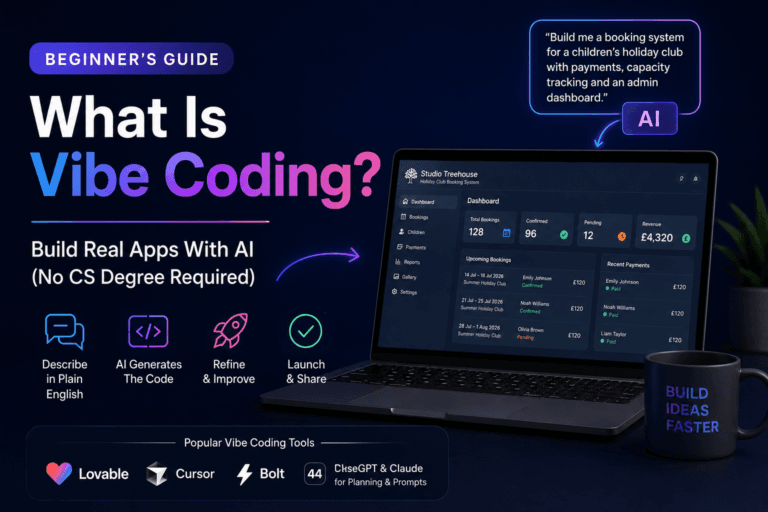
If you are building business tools with AI, you may also find What Is Vibe Coding? A Beginner’s Guide to Building Apps With AI useful. It explains how people are using AI app builders to create real tools, dashboards and booking systems without starting from traditional software development.
Final Thoughts
The debate around AI agents vs automation is not really about which one is better.
It is about using the right tool for the job.
Traditional automation is still incredibly useful. It is reliable, predictable and perfect for structured workflows.
AI agents are useful when the work involves language, judgement, context and decisions.
The best systems combine both.
Use automation for the steps that should happen the same way every time.
Use AI agents for the parts that require interpretation.
Add human approval where the stakes are high.
That is the sensible path.
Not “AI will replace every workflow”.
Not “agents are useless hype”.
The truth is much more practical:
Automation gives your business structure.
AI agents give your workflows judgement.
Humans still provide taste, responsibility and common sense.
And for now, that is probably the best combination.
Because a workflow with no intelligence is limited.
The easiest way to think about AI agents vs automation is this: automation gives you structure, while AI agents add flexible judgement where the workflow needs it.
But an agent with no guardrails is just chaos wearing a productivity badge.
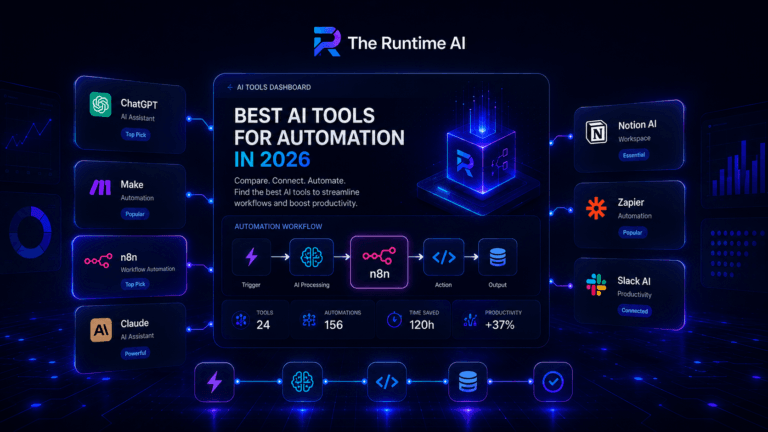
The Runtime AI covers practical AI automation, workflow systems, SaaS and vibe coding for people who actually build things. For more practical guides, read The Best AI Tools for Automation in 2026, How to Use ChatGPT to Plan an Automation Workflow and How to Build Your First AI Automation Workflow with n8n and ChatGPT.