How I Built a Booking System Using AI Tools and Automation
Sometimes the best ideas for building a booking system using AI tools don’t come from trying to build something impressive.
They come from watching someone you care about deal with the same manual headache over and over again.
That’s exactly how this project started.
My wife runs Studio Treehouse, a children’s holiday club and creative workshop business. For a while, her setup was working — just about. Instagram for marketing, JotForm for bookings, Square for payments, WhatsApp for everything the other tools missed, and a physical notebook to keep track of it all.
Yes. A notebook.
It wasn’t that the business was failing. It was doing well. But the operations were quietly eating her alive. She’s a creative person running a business she loves, and she was spending more time managing admin than she was spending on the actual workshops.
That’s when I decided to build her a proper booking system using AI tools and automation.
What the Old Process Actually Looked Like
Before I explain what I built, I want to paint the full picture of “before” — because I think a lot of small business owners will recognise it.
Instagram handled all the marketing. Still does, and it works well. Parents discover Studio Treehouse through posts, reels and word of mouth. That part wasn’t broken.
JotForm handled the booking form. Reasonable on paper. In practice:
- Forms had to be completely rebuilt for every new holiday club — new dates, new fields, new logic, every single time
- No connection to payment — parents submitted the form and then paid separately through Square
- Occasional silent failures where submissions simply weren’t received
- No way to see all bookings, capacity or attendance in one place
Square handled payments. Also reasonable on paper. In practice:
- Completely disconnected from JotForm
- Manual reconciliation required to match every payment to every booking
- No automatic confirmation to parents after payment
- No way to know who had paid without logging into Square separately
WhatsApp held everything together. Every question, every “did my booking go through?”, every “is there still space on Monday?” — handled manually, one message at a time. Even though there was a form, a huge amount of the actual booking process still ended up happening through messages.
The notebook was the database. Handwritten. Parent name. Child name. Days attending. Amount paid. Session booked. Crossed out when something changed. Rewritten when something needed updating.
Here’s what a typical booking looked like from start to finish:
- Parent sees the club on Instagram
- Parent sends a WhatsApp or Instagram message asking about availability
- My wife replies manually
- Parent receives the JotForm link
- Parent fills in the form
- Parent pays separately through Square
- My wife checks Square to confirm payment was received
- My wife cross-references the JotForm submission with the Square payment
- My wife writes the booking in the notebook
- If the parent asks a question later, everything needs to be checked again across multiple places
That process worked. But it created admin friction at almost every single step. And it didn’t scale.
The Real Issue Wasn’t the Tools — It Was the Workflow
This is an important lesson that applies to a lot of small businesses.
JotForm wasn’t the problem. Square wasn’t the problem. WhatsApp wasn’t the problem.
The issue was that nothing was connected. Each tool was doing one part of the job, but there was no central system bringing everything together. That meant the admin still had to happen manually — in the gaps between the tools.
A parent could fill in the form, but someone still had to check the payment.
A payment could come in, but someone still had to match it to a child and a booking date.
A holiday club could finish, but setting up the next one meant repeating almost all of the same manual work again.
That’s when I asked myself: what if the booking process lived directly inside the website?
Not just a form. A proper system. One where parents could book, pay and receive confirmation automatically — and my wife could see everything in one place without checking four different tools and a notebook.
What I Built: A Booking System Using AI Tools
Before I touched a single tool, I mapped out exactly what the new system needed to do:
- Parents book and pay in one seamless flow — no disconnected steps
- Capacity is managed automatically — no overbooking possible
- Confirmation emails go out automatically after payment — no manual messages
- One admin area for everything — every booking, every payment, every attending day
- Setting up a new holiday club takes minutes, not hours of form rebuilding
- Photos from sessions can be uploaded and appear on the website automatically
- All booking data is exportable to XLSX — no more notebook
That last point mattered a lot to me. The goal wasn’t just to digitise the process. It was to give her something she could actually trust — where the data was accurate, complete and accessible without any manual input.
The Tech Stack
| Tool | Role |
|---|---|
| Lovable | AI app builder — built the entire front-end and admin interface |
| Supabase | Database — stores all bookings, payments, parents, children, photos |
| Square | Payments — handles checkout, confirmation, webhooks |
| n8n | Automation — triggers emails, reminders, notifications |
| Resend | Email delivery — confirmation and reminder emails |
Almost all of it was built through Lovable — an AI-powered app builder where you describe what you want in plain English and it generates the code, the interface and the database structure. What would have taken a developer weeks to build from scratch took a fraction of that time.
One important lesson if you use Lovable: don’t ask it to build everything at once. My early mistake was prompting for the entire system in one go. The better approach is to build in layers — core booking flow first, then payments, then emails, then the admin dashboard, then extras. Each layer is cleaner and easier to refine than one giant build.
The Booking Flow (What Parents Experience)
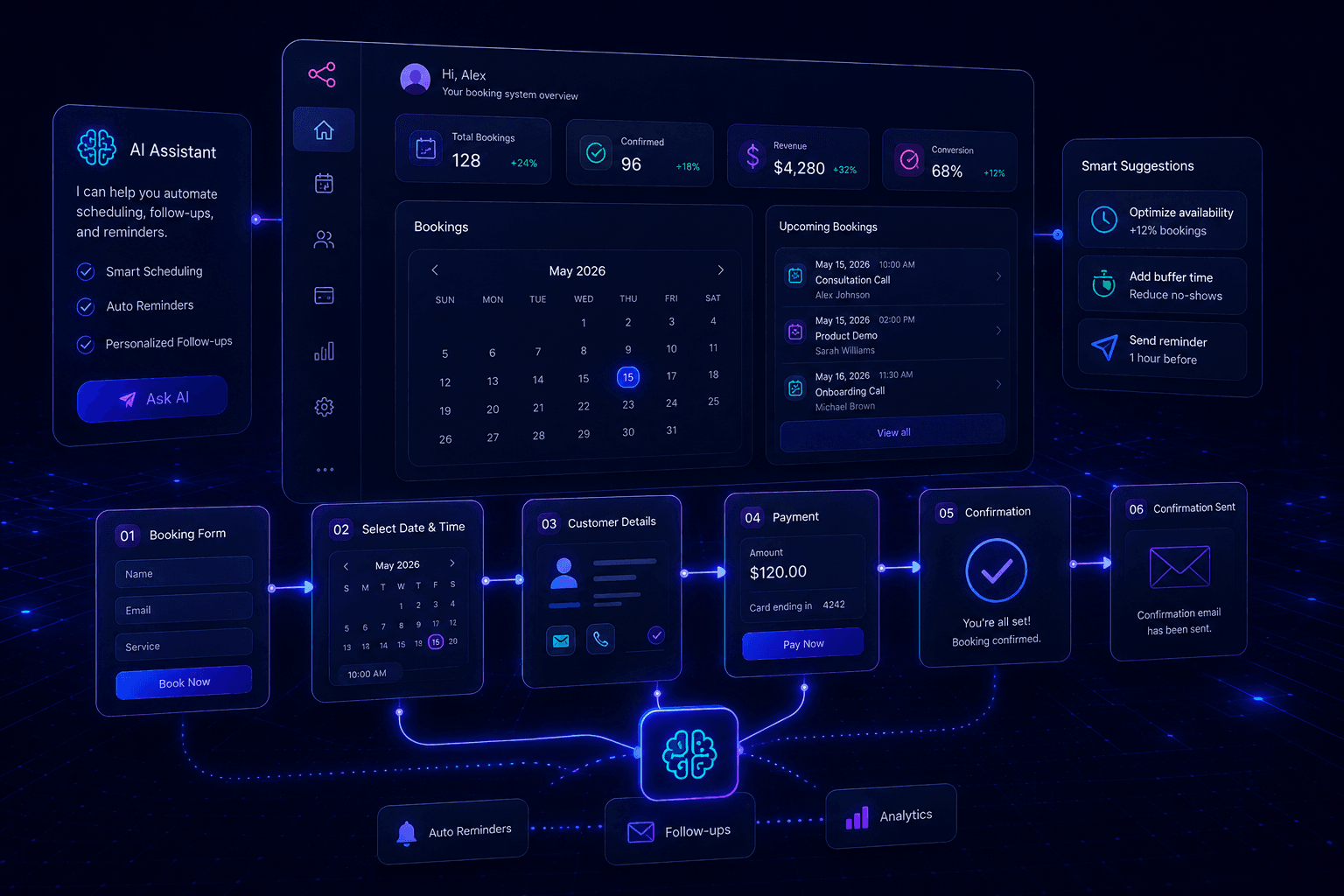
The public-facing side is clean and simple. Parents visit the Studio Treehouse website, go to the booking section, and see the available holiday club sessions with real-time availability. Dates that are fully booked show as unavailable automatically.
They select their dates, fill in their child’s details — name, age, attending days, any notes like allergies or requirements — and proceed to checkout. Square handles the payment.
The moment Square confirms payment, everything else happens automatically:
- The booking is created in Supabase with a unique reference number
- The session’s capacity count updates in real time
- A personalised confirmation email lands in the parent’s inbox within 30 seconds
- My wife receives a notification with the new booking details
- A reminder email is scheduled to go out 48 hours before the session
No WhatsApp messages needed. No manual confirmation. No payment chasing. The system handles all of it.
Why Payment and Booking Are Not the Same Thing
This sounds obvious but it’s worth saying clearly, because getting it wrong creates real problems.
Someone can start a booking but never complete payment. A payment provider can send a webhook slightly late. Two parents can try to book the last space at exactly the same moment. A parent can accidentally submit something twice.
That’s why the system uses booking statuses:
- Pending — form submitted, payment not yet confirmed
- Paid — payment confirmed by Square
- Confirmed — booking fully processed and confirmed
- Cancelled — booking cancelled
- Failed — payment failed
Nothing is treated as confirmed until Square confirms the money has moved. This keeps the data clean, eliminates the “pending but never paid” problem that plagued the old JotForm/Square process, and means capacity is always accurate.
In the old system, matching bookings and payments was a regular source of stress. In the new system, payment status is part of every booking record. The admin always knows exactly where things stand.
The Admin Dashboard (What My Wife Actually Uses Every Day)
This is where the real transformation happened. My wife has a secure login to a private admin area on the website. When she opens it, she sees everything in one place:
- Every booking, filterable by session date, payment status or child name
- Parent name, email and phone number
- Child name, age and special notes
- Which specific days each child is attending
- Amount paid per booking
- Booking status and payment reference
- Remaining capacity for each upcoming session
- Export to XLSX with one click
A lot of people assume the most important part of a booking system is the customer-facing page. But for a small business, the admin dashboard can be even more valuable. The customer uses the booking flow once. The business owner uses the dashboard every single day.
The export feature replaced the notebook entirely. She pulls the full attendance list for any session in seconds — accurate, complete, automatically updated. Setting up a new holiday club now means changing a few fields in the admin panel rather than rebuilding JotForm from scratch.
The Photo Gallery — My Favourite Feature
This wasn’t in the original plan, but it became one of the most used parts of the whole system.
Studio Treehouse shares photos from their sessions on the website. Parents love seeing what the workshops actually look like — it builds trust and it’s one of the biggest factors in converting someone from “interested” to “booked.” Previously, updating the gallery meant either editing the website manually or asking me to do it. As a result, it was always slightly out of date.
What I built connects directly to Supabase. My wife logs into the admin area, uploads photos from a recent session, and they appear automatically on the public website gallery. No website editing. No asking me. Upload, done.
It sounds like a small thing. But the gallery is often the first thing parents look at when deciding whether to book. Keeping it fresh and current now takes her a couple of minutes after each session — and it happens as part of the same workflow she’s already in.
What’s Coming Next
The booking system using AI tools works well. But I’ve already started planning the next phase, and there are two things at the top of the list.
A CRM Layer
Right now the system handles confirmed bookings well. But it doesn’t manage the broader relationship with customers — parents who’ve enquired but never booked, families who attended once and haven’t come back, leads coming in through Instagram DMs who need following up.
A lightweight CRM would add visibility over:
Lead tracking with statuses like:
- New enquiry
- Interested — sent information
- Waiting for reply
- Booked
- Follow up later
- Not interested
Parent history:
- Every booking across all sessions
- Total amount paid over time
- Previous attendance record
- Notes from conversations
Useful queries like:
- “Show me parents who booked last summer but haven’t booked this one”
- “Who has enquired in the last two weeks but hasn’t booked yet?”
- “Which parents attended three or more sessions?”
This is where a booking system starts becoming a proper business management system. The data is already in Supabase — it’s about building the views and workflows on top of it.
A WhatsApp AI Agent
This one excites me most.
Even with the booking system in place, my wife still gets WhatsApp messages. Parents ask questions before committing to a booking — and they ask on WhatsApp because it’s quick and familiar, not because the information isn’t on the website.
Common questions include:
- “What age is the club suitable for?”
- “Is there still space on Wednesday?”
- “Can I book for two children?”
- “What should my child bring?”
- “Where exactly is it located?”
- “What time does it start and finish?”
A WhatsApp AI agent could handle these automatically. When a parent sends a message, the agent responds instantly with an accurate answer based on the Studio Treehouse content and FAQs. For example:
Parent: “Hi, do you still have spaces for Wednesday?”
Agent: “Hi! Wednesday still has spaces available. You can book here: [link]. Sessions run from 9am to 3pm and are suitable for ages 4–11. Would you like more information about what’s included?”
That kind of immediate response is genuinely better than waiting for my wife to see the message between sessions.
The agent should also know when to hand over to a human — anything involving complaints, safeguarding, payment issues, or anything that needs a real decision. Automation should support the personal touch, not replace it.
The build will use n8n for the workflow, the WhatsApp Business API for messaging, and a language model for generating responses. The bigger vision is a complete connected flow:
- Parent messages on WhatsApp
- Agent answers common questions
- Parent books through the website
- Booking stored in Supabase
- Admin dashboard updates automatically
- Confirmation email sent to parent
- CRM record updated
- Reminder sent 48 hours before the session
- After the session, photos uploaded to gallery
- Parent notified when the next club is available
That’s the direction. Not just a booking page — a connected system.
The Biggest Lesson From This Project
The real pain was never “we need a nicer form.”
The real pain was:
- Too many messages
- Too much manual checking across disconnected tools
- Too much notebook tracking
- Too much payment matching
- Too much repeated setup between holiday clubs
- Information spread across Instagram, WhatsApp, JotForm, Square and a notebook
Don’t automate what looks impressive. Automate what causes friction.
If WhatsApp messages are creating chaos, think about how to reduce the repeated questions. If payments are hard to track, make payment status visible. If attendance lists take too long to prepare, add export. If website updates take too much time, build an admin gallery.
The best automation projects are almost always the most practical ones. They save time. They reduce mistakes. They make the business easier to run. And most importantly, they give time back to the person actually doing the work.
The Result
Studio Treehouse now runs on a system that actually fits the business.
Parents book online, pay instantly, get an immediate confirmation, and receive an automatic reminder before their session. My wife opens a dashboard once a day, sees every booking and payment, uploads session photos, and exports her attendance list in seconds before each club starts.
The JotForm is gone. The Square manual reconciliation is gone. The WhatsApp chasing is mostly gone.
The notebook is still around somewhere. But it hasn’t been opened since the new system went live.
That’s the real measure of whether something works.
This is exactly the kind of system we build at Alchemix Systems — booking flows, admin dashboards, automation systems and client portals for service businesses that want to operate more efficiently. If your business still runs on disconnected tools, manual admin and too many WhatsApp messages, get in touch.
For more on the tools used in this build, read What Is n8n and Why Should You Use It and The Best AI Tools for Automation in 2026.