Prompt Engineering for Beginners: How to Write Better AI Prompts
Prompt Engineering for Beginners: What It Actually Means
Prompt engineering for beginners does not need to feel technical or complicated. At its core, it is about learning how to give clearer instructions to AI tools so they can give you better results.
Most people use AI like a search engine.
They type a few words, hope for the best, and then feel disappointed when the answer is too generic.
That works sometimes.
But it is like having a powerful car and only driving it in first gear.
Prompt engineering is the skill that changes that.
Despite the technical name, prompt engineering is not about coding. It is not about memorising secret phrases. It is not about buying a list of 5,000 prompts and hoping one of them works.
Prompt engineering is the skill of giving better instructions to AI tools so they give you better results.
That is it.
A prompt is simply the instruction you give to an AI tool like ChatGPT, Claude, Gemini, Perplexity or an AI app builder like Lovable.
For example:
“Write me a blog post about AI.”
That is a prompt.
But it is not a very good one.
It is too vague.
A better prompt would be:
“Write a beginner-friendly blog post about how small business owners can use AI automation to save time. Use a friendly tone, include practical examples, avoid technical jargon and structure the article with clear headings.”
The second prompt is better because it gives the AI more direction.
It explains:
- What to write
- Who it is for
- What tone to use
- What to include
- What to avoid
- How the answer should be structured
That is the real value of prompt engineering.
It helps you move from vague requests to clear instructions.
Why Prompt Engineering Matters
AI tools are powerful, but they are not mind readers.
The same AI model can give you a weak answer or a very useful answer depending on how you ask.
The model does not change.
Your prompt does.
That matters because AI is now being used for real work:
- Writing articles
- Creating emails
- Planning workflows
- Building apps
- Summarising documents
- Comparing tools
- Writing code
- Drafting social media posts
- Analysing customer messages
- Building automation systems
- Creating internal tools and dashboards
The quality of the output depends heavily on the quality of the input.
In simple terms:
Better prompts create better results.
Prompt engineering helps you turn AI from a random answer generator into a practical assistant you can actually use.
The One Rule That Changes Everything
Before using any framework or advanced technique, remember this rule:
Write your prompt as if you were giving instructions to a capable person sitting next to you.
This is the most important idea in the whole article.
If your instruction would confuse a human, it will probably confuse the AI.
For example, imagine saying to someone:
“Make this better.”
They would probably ask:
“What do you mean by better?”
Do you want it shorter?
More professional?
More friendly?
More detailed?
More persuasive?
More beginner-friendly?
AI has the same problem.
When you give a vague instruction, the AI has to guess what you mean.
Sometimes it guesses well.
Often, it gives you something average.
A weak prompt sounds like this:
“Write a blog post about AI.”
A better prompt sounds like this:
“Write a beginner-friendly blog post about AI automation for small business owners. Explain what it is, why it matters and give three practical examples. Use a friendly tone, short paragraphs and avoid technical jargon.”
The second prompt works better because it gives the AI a proper brief.
That is the mindset you want.
Do not prompt like you are typing into Google.
Prompt like you are briefing someone who can help you, but needs clear instructions.
Start Simple Before You Get Advanced
A common mistake is thinking every prompt needs to be complicated.
It does not.
A clear simple prompt can solve most everyday tasks.
For example:
“Summarise this article in five bullet points.”
“Rewrite this paragraph to make it clearer.”
“Give me 10 blog post ideas about AI automation.”
“Explain n8n in simple terms for beginners.”
“Create a checklist for publishing a WordPress article.”
Those prompts are simple, but they are still useful.
You only need more structure when the task becomes more complex.
For example:
- Creating a long-form article
- Building an app
- Designing an automation workflow
- Analysing a long document
- Creating reusable templates
- Comparing multiple tools
- Working with customer data
- Building an AI agent
- Reducing hallucinations
- Getting consistent output at scale
The goal is not to make prompts complicated.
The goal is to make them clear.
The PROMPT Framework
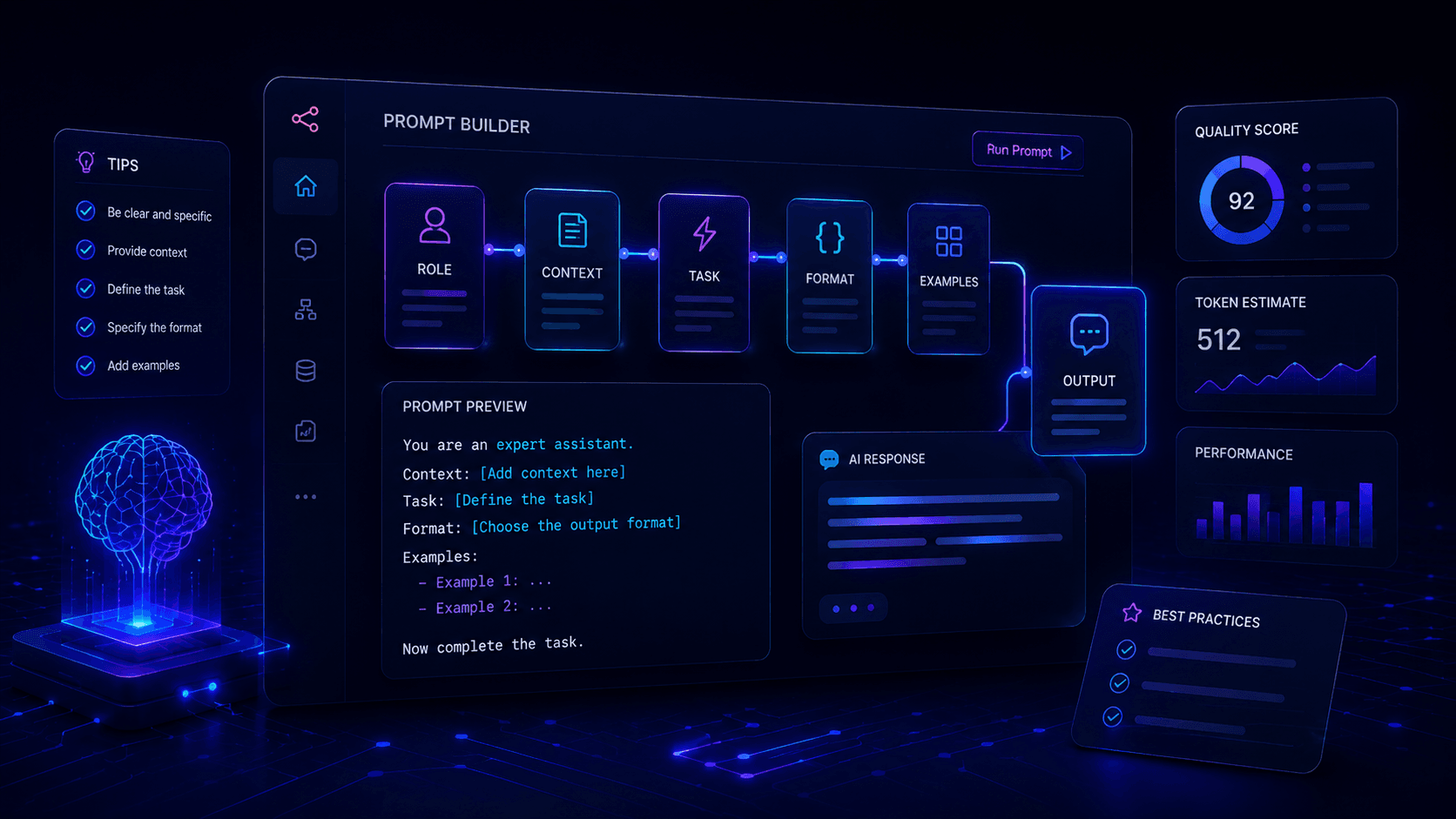
When a simple prompt is not enough, use this framework:
This is why prompt engineering for beginners should start with structure, not complicated techniques.
P — Persona
R — Request
O — Objective
M — Model or Format
P — Panorama
T — Transform
This gives the AI the main information it needs to produce a better response.
You do not need every part every time, but this structure is a great starting point.
P — Persona
The persona tells the AI what role to take.
Examples:
- Act as an SEO content writer.
- Act as a senior developer.
- Act as an automation consultant.
- Act as a product manager.
- Act as a writing coach.
- Act as a business analyst.
- Act as a prompt engineering tutor.
This helps the AI understand the perspective it should use.
Weak prompt:
“Give me ideas for my blog.”
Better prompt:
“Act as an SEO content strategist and give me blog ideas for a website about AI automation, n8n workflows, prompt engineering and vibe coding.”
The second version is more focused.
R — Request
The request is the specific task you want the AI to complete.
Examples:
- Write an article.
- Rewrite this text.
- Create a checklist.
- Build a workflow plan.
- Compare these tools.
- Summarise this document.
- Review this landing page.
- Create a prompt template.
Weak prompt:
“Help me with this article.”
Better prompt:
“Review this article and suggest improvements to make it clearer, more practical and more useful for beginners.”
The clearer the request, the better the output.
O — Objective
The objective explains the real goal behind the task.
This is important because the task and the goal are not always the same thing.
For example, the task might be:
“Write an email.”
But the objective might be:
“Get people to book a demo without sounding too salesy.”
That changes the output.
Example:
“Write an email introducing our new booking system feature. The objective is to encourage small business owners to try the demo. Keep it practical and focused on saving time, not technical details.”
Now the AI understands what success looks like.
M — Model or Format
This tells the AI how the answer should look.
Examples:
- Use bullet points.
- Use a table.
- Use clear headings.
- Give me three options.
- Keep it under 500 words.
- Create a step-by-step guide.
- Return the result as a checklist.
- Use short paragraphs.
Weak prompt:
“Explain prompt engineering.”
Better prompt:
“Explain prompt engineering using clear headings, short paragraphs, practical examples and a checklist at the end.”
Format matters because it makes the output easier to use.
P — Panorama
Panorama means context.
This is where many prompts fail.
AI needs background information.
For example, if you ask:
“Write a homepage headline.”
The AI does not know what the website is about.
A better prompt would be:
“Write 10 homepage headline ideas for a website called The Runtime AI. The site teaches AI automation, n8n workflows, prompt engineering, AI tools and vibe coding to creators, developers and business owners. The tone should be modern, practical and clear.”
Now the AI has enough context to give a useful answer.
Context can include:
- Who the audience is
- What the business does
- What problem you are solving
- What tools you are using
- What stage the reader is at
- What tone you want
- What examples you like
- What should be avoided
More useful context usually means a better result.
T — Transform
Transform means iteration.
A good prompt does not always produce the perfect answer on the first try.
That is normal.
Prompt engineering is not a one-shot activity.
It is a feedback loop.
For example:
“This is good, but make it more human and less corporate.”
“Keep the structure, but add more practical examples.”
“Rewrite the intro so it feels more personal.”
“Make the answer shorter and easier to scan.”
“Add a checklist at the end.”
This is where a lot of the improvement happens.
The best prompts are not always written in one sitting.
They are improved through real use.
A Complete PROMPT Framework Example
Here is a complete example.
Weak prompt:
“Write a blog post about prompt engineering.”
Better prompt:
“Act as an SEO content writer. Write a beginner-friendly blog post about prompt engineering for creators, developers and business owners who use tools like ChatGPT, Claude and Lovable. The objective is to help readers get better results from AI without making the topic feel too technical. Use clear headings, short paragraphs, practical examples and reusable prompt templates. Avoid hype, avoid jargon and make the article friendly and useful.”
This prompt gives the AI:
- A role
- A task
- An audience
- A goal
- A format
- A tone
- Constraints
That is why the answer will usually be much better.
Zero-Shot Prompting: Just Ask
Zero-shot prompting means you ask the AI to do something without giving examples.
Example:
“Summarise this document in five bullet points.”
That is zero-shot.
You are not showing the AI what a good answer looks like.
You are simply asking.
Zero-shot works well for simple tasks.
Examples:
“Explain this error message.”
“Rewrite this paragraph.”
“Give me ideas for a blog post.”
“Summarise this transcript.”
“Create a checklist from this text.”
The problem is that zero-shot becomes less reliable when the task needs a specific tone, format or style.
That is when few-shot prompting becomes useful.
Few-Shot Prompting: Show, Do Not Just Tell
Few-shot prompting means giving the AI examples before asking it to create something new.
This is one of the easiest ways to improve your results.
Instead of only describing what you want, you show it.
Example:
“Here are three examples of article titles I like:
- What Is n8n and Why Should You Use It?
- The Best AI Tools for Automation in 2026
- How I Built a Booking System Using AI Tools and Automation
Now create 10 new article title ideas for a blog about prompt engineering, AI automation and vibe coding. Keep the titles practical, clear and beginner-friendly.”
This works because the AI has a pattern to follow.
Without examples, it guesses.
With examples, it understands the style.
Use few-shot prompting when:
- Style matters
- Format matters
- Accuracy matters
- You want consistency
- You are building reusable prompts
- You want outputs to match your brand
This is one of the highest-value prompt engineering techniques.
Formatting Your Prompts Properly
Formatting matters more than most people think.
A messy prompt often creates a messy answer.
A structured prompt usually creates a structured answer.
Use headings, bullet points and clear sections.
Example:
Task
Write a blog post about prompt engineering.
Audience
Beginners who use ChatGPT and Claude but want better results.
Tone
Friendly, practical and clear.
Must Include
- Simple definition
- Practical examples
- Prompt templates
- Common mistakes
- Final checklist
Avoid
- Jargon
- Hype
- Overcomplicated theory
This structure helps you read your own prompt, but it also helps the AI understand the task.
Use Markdown for Better Prompts
Markdown is a simple way to structure text.
You can use:
#for headings- Bullet points for lists
- Numbered steps for processes
**bold text**for emphasis- Code blocks for prompts, code or structured examples
You do not need to be a Markdown expert.
Just using headings and bullet points already makes a big difference.
Example:
“Use the structure below:
Goal
Audience
Output Format
Constraints
Examples”
This is especially useful when your prompt is long.
Use Tags for Long Inputs
When working with long text, it helps to separate the source material from the instructions.
For example:
This helps the AI understand what is content and what is instruction.
That matters when working with:
- Long transcripts
- Meeting notes
- PDFs
- Research documents
- Customer messages
- Technical notes
- Article drafts
A useful rule is:
Put the source material first, then put the instructions after it.
This is especially helpful when the source is long.
Give the AI a Process
For complex tasks, do not just ask for the final answer.
Ask the AI to follow a process.
Example:
“First, identify the main problem. Then suggest three possible solutions. Then recommend the best option and explain why.”
This works well for:
- Business decisions
- Workflow planning
- Technical troubleshooting
- Content strategy
- Product ideas
- Automation design
Example:
“Help me design an automation workflow for new website enquiries. First map the current process. Then identify repetitive tasks. Then suggest automation steps. Then list the tools I could use.”
This is much better than:
“Create an automation workflow.”
The AI now has a process to follow.
Ask for Questions Before the Final Answer
One of the most useful prompt engineering techniques is asking the AI to ask questions first.
Example:
“Before giving me the final answer, ask me up to five questions that would help you produce a better result.”
This is useful because your first prompt may be missing important context.
For example, if you say:
“Help me build a website.”
The AI might need to know:
- What is the website for?
- Who is the audience?
- What pages do you need?
- What tone should it use?
- What action should visitors take?
Those questions improve the final output.
This is especially useful for large projects like:
- Websites
- Apps
- Automation workflows
- Business plans
- Sales pages
- Product ideas
- Content strategies
A Real Example: Building a Booking System With AI Tools
The best way to explain why prompt engineering matters is with a real example.
I recently built a booking system for Studio Treehouse, a children’s holiday club and creative workshop business.
The old process worked, but it was messy.
Instagram was used for marketing.
JotForm was used for bookings.
Square was used for payments.
WhatsApp was used for questions.
A notebook was used to manually track bookings, children, dates and payment amounts.
The problem was not that these tools were bad.
The problem was that they were disconnected.
Parents could fill in a form, but payment still needed to be checked manually.
A parent could pay through Square, but the payment still needed to be matched to the booking.
WhatsApp messages still had to be answered manually.
Bookings still had to be written down and checked again later.
That is where the idea came from:
What if the booking process lived directly inside the website?
I used AI tools to help build a proper booking system with:
- Website booking flow
- Parent and child details
- Date selection
- Payment through Square
- Supabase database
- Admin dashboard
- Capacity management
- Confirmation emails
- Gallery uploads
- XLSX export
The important lesson is this:
The quality of the system depended heavily on the quality of the prompts.
At the beginning, a vague prompt like this was not enough:
“Build me a booking system with payments and an admin dashboard.”
That produced something basic.
A form.
A payment button.
A table.
But it missed the real business logic.
It did not properly think through:
- What happens if two parents try to book the last space?
- What happens if payment is started but not completed?
- What information does the admin need to see every day?
- How should capacity be calculated?
- When should confirmation emails be sent?
- How should bookings be exported?
- How should gallery uploads work?
The prompt had to become more specific.
A better prompt looked more like this:
“Help me build a booking system for a children’s holiday club. Parents should be able to select available days, enter parent and child details, complete payment through Square and receive a confirmation email. The admin should be able to see parent name, child name, attending days, amount paid, payment status and remaining capacity. The system should prevent overbooking and allow bookings to be exported to XLSX.”
That prompt is much better because it describes the real workflow.
It does not just ask for a form.
It explains the business process.
That is what prompt engineering unlocks.
Not just better answers.
Better systems.
Prompt Engineering for Vibe Coding
Prompt engineering becomes even more important when using AI app builders like Lovable, Base44, Replit or v0.
In vibe coding, your prompt is not just a request.
It becomes the product brief.
If the prompt is vague, the app will be vague.
If the prompt is structured, the app has a much better chance of being useful.
Weak prompt:
“Build me a CRM.”
Better prompt:
“Build a simple CRM for a small workshop business. The admin should be able to add leads, track enquiry source, set status, add notes, schedule follow-ups and see whether a lead has booked. Use a clean dashboard layout with filters for status and follow-up date. Start with the database structure and main screens before generating the full interface.”
This is much more useful.
It gives the AI:
- The business context
- The user type
- The required features
- The data structure
- The first build step
With AI app builders, the best approach is usually to build in layers.
Start with:
- Database structure
- User flow
- Core screens
- Main functionality
- Edge cases
- Styling
- Admin features
- Automation
- Testing and refinement
Do not ask the AI to build everything at once.
That usually creates messy results.
Prompt Engineering for Automation
Prompt engineering also matters when prompts are used inside automation workflows.
For example, you might use n8n to send a customer message into an AI model.
The prompt could say:
“Classify this enquiry into one of these categories: sales, support, billing, partnership or other. Return only the category and a short reason.”
Then n8n can route the enquiry based on the result.
That is prompt engineering inside automation.
Other examples:
- Summarise a customer message before sending it to Slack
- Turn meeting notes into action items
- Classify support tickets by urgency
- Generate draft email replies
- Extract structured data from enquiries
- Rewrite social media captions
- Create content briefs from research notes
- Analyse form submissions
- Generate admin summaries
This is where prompting becomes more than a writing skill.
It becomes part of building systems.
How to Reduce AI Hallucinations
AI can be wrong.
It can sound confident and still give incorrect information.
That is why good prompting should include guardrails.
Here are some ways to reduce hallucinations.
Tell the AI when it is allowed to say “I do not know”
Example:
“If you are not sure, say you are not sure. Do not invent details.”
This gives the AI permission to be honest.
Tell it to stay within the source
When working with documents, use:
“Base your answer only on the information provided. Do not add outside information.”
This is useful for:
- Summaries
- Legal documents
- Research notes
- Transcripts
- Meeting notes
- Internal documentation
Ask for assumptions
Example:
“List any assumptions you are making before giving the final answer.”
This helps you spot gaps.
Ask for checks
Example:
“Before finalising, check the answer for missing steps, unclear wording and possible mistakes.”
This is useful when building workflows, prompts or technical instructions.
Use sources when facts matter
For topics that can change, such as pricing, laws, product features or technical documentation, always check the source.
AI is useful, but it is not a substitute for verification.
RAG: When Your Own Knowledge Matters
Sometimes a prompt is not enough.
If you want an AI assistant to answer based on your own documents, FAQs, course material, policies or business knowledge, you may need a knowledge base.
This is often called RAG, which stands for Retrieval Augmented Generation.
The idea is simple:
Instead of asking the AI to answer from general training data, you connect it to your own information.
Examples:
- A chatbot that answers from your company documentation
- An internal assistant that understands your processes
- A support bot that uses your FAQ
- A sales assistant that knows your product details
- A training assistant that answers from course material
This is useful because the answers become more specific to your business.
For example, a WhatsApp AI assistant for a workshop business should not answer from generic internet knowledge.
It should answer from the actual workshop information:
- Dates
- Times
- Location
- Age range
- Booking process
- Refund policy
- What children need to bring
- Contact details
That is how AI becomes genuinely useful in a business workflow.
Building Reusable Prompts
The real power of prompt engineering is not writing one good prompt.
It is building prompts you can reuse.
Think of a reusable prompt like a trained assistant.
You teach it what you want once.
Then you use it again and again.
This is useful for tasks like:
- Writing blog posts
- Summarising calls
- Creating email replies
- Reviewing landing pages
- Classifying enquiries
- Generating content briefs
- Creating social posts
- Analysing customer feedback
- Debugging automation errors
A good reusable prompt should include:
- The role
- The task
- The audience
- The format
- The rules
- Examples
- What to avoid
- What a good output looks like
Then you test it.
If the output is weak, improve the prompt.
If the tone is wrong, add tone guidance.
If the structure is wrong, specify the structure.
If important details are missing, add those details.
The best prompts are developed over time.
Practical Prompt Templates
For prompt engineering for beginners, reusable templates are one of the easiest ways to improve your results quickly.
Here are some reusable templates you can adapt.
Blog Post Template
“Act as an SEO content writer. Write a blog post about [topic] for [audience]. The goal is to [goal]. Use a friendly and practical tone. Include examples, common mistakes and actionable tips. Structure it with clear headings and short paragraphs. Avoid hype and generic advice.”
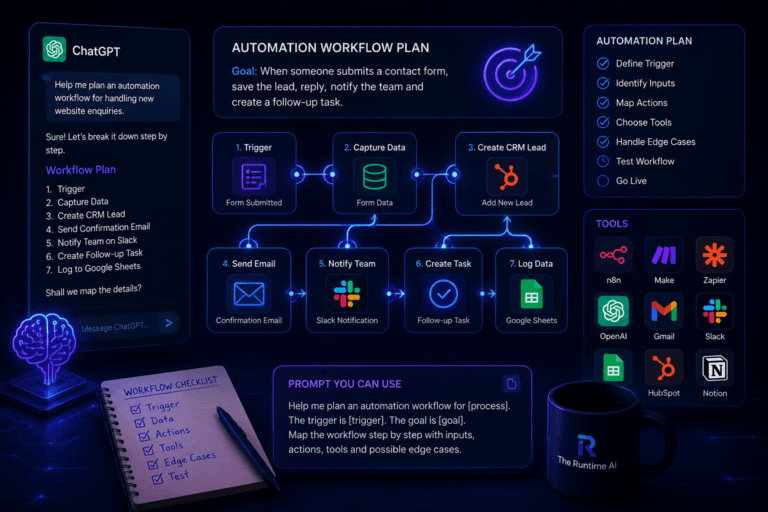
Automation Workflow Template
“Act as an automation consultant. Help me design a workflow for [process]. The trigger is [trigger]. The desired outcome is [outcome]. The tools involved are [tools]. Give me the workflow steps, required data, possible edge cases and improvement ideas.”
Vibe Coding Template
“Act as a senior product engineer. Help me plan an app for [use case]. Users should be able to [user actions]. Admins should be able to [admin actions]. First give me the user flow, database structure and main screens. Do not write code yet.”
Rewrite Template
“Rewrite the text below to make it clearer, more human and easier to read. Keep the original meaning, but improve the structure, flow and tone. Use short paragraphs and avoid jargon.”
Research Template
“Research and compare [tools/topics]. For each one, explain what it does, who it is best for, practical use cases, limitations and how it compares to the others. Present the answer in a table.”
Debugging Template
“Act as a senior developer. Review the error below and explain what is likely causing it. Then give me a step-by-step plan to fix it. Do not guess. If you need more context, ask me first.”
Prompt Improvement Template
“Review the prompt below and improve it. Make it clearer, more specific and more likely to produce a useful result. Explain what you changed and why.”
Common Prompt Engineering Mistakes
Mistake 1: Being Too Vague
Bad prompt:
“Write something about AI.”
Better prompt:
“Write a beginner-friendly introduction to AI automation for small business owners who want to reduce repetitive admin tasks.”
Specificity matters.
Mistake 2: Asking for Too Much at Once
Bad prompt:
“Create a website, write all the copy, design the brand, build the database and create the marketing plan.”
Better prompt:
“First, help me define the website structure and homepage sections. Do not write the full copy yet.”
Break big tasks into smaller steps.
Mistake 3: Not Giving Examples
If you want a certain style, show the AI what you mean.
Example:
“Use a tone similar to this paragraph: [paste example].”
Examples help the AI understand your expectations.
Mistake 4: Accepting the First Output
The first answer is rarely the best answer.
Ask for improvements.
Example:
“This is useful, but make it more human, add examples and make the structure easier to scan.”
Mistake 5: Not Checking the Result
AI can be wrong.
Always check:
- Facts
- Tool names
- Links
- Numbers
- Technical instructions
- Legal or financial claims
- Anything that affects real users
Prompt engineering improves the result, but it does not remove the need to review.
The Tools Worth Knowing
Here are tools where prompt engineering becomes especially useful.
ChatGPT
Useful for writing, brainstorming, explaining, summarising, planning and improving drafts.
Claude
Strong for long-form reasoning, planning, reviewing logic, improving structure and thinking through edge cases.
Perplexity
Useful for research, source-backed answers and exploring current topics.
NotebookLM
Useful when you want to work with your own documents, notes or sources.
Lovable
Useful for building AI-assisted apps, dashboards and websites. Prompt quality matters a lot because your prompt becomes the project brief.
n8n
Useful for automation workflows where prompts can process real business data, classify information or generate structured outputs.
Make and Zapier
Useful for connecting apps and adding AI steps into simple automation workflows.
Where to Start
Start with one practical use case.
Do not try to master every advanced technique at once.
Try this:
- Pick one task you do often.
- Write a basic prompt.
- Add context.
- Add examples.
- Specify the format.
- Test the output.
- Improve the prompt.
- Save the final version for reuse.
For example, if you often write blog posts, create one reusable blog prompt.
If you often summarise meetings, create one meeting summary prompt.
If you often build workflows, create one automation planning prompt.
Small improvements compound quickly.
Final Thoughts
The best way to approach prompt engineering for beginners is to start simple, test your prompts and improve them over time.
Prompt engineering is not about memorising complicated formulas.
It is about learning how to communicate clearly with AI.
A good prompt gives the AI:
- A role
- A task
- Context
- A format
- Constraints
- Examples when needed
If the output is too generic, improve the prompt.
If the answer is too broad, add constraints.
If the structure is messy, specify the format.
If the tone is wrong, give an example.
If the task is complex, break it into steps.
The best prompt engineering advice is simple:
Write for clarity.
Explain what you want.
Give useful context.
Show examples.
Review the result.
Then improve it.
AI is only as useful as the instructions you give it.
The better you communicate with it, the more useful it becomes.