How to Build an AI Lead Capture System That Actually Brings You Clients
Most websites do not have a traffic problem.
They have a “what happens after someone fills in the form?” problem.
A potential client lands on your site. They read a page. They like what they see. They fill in your contact form.
And then what?
For a lot of small businesses, the answer is something like:
“It goes to my inbox and then I try to remember to reply later.”
That is not a system. That is a hope with Wi-Fi.
A proper AI lead capture system does more than collect someone’s name and email address. It captures the enquiry, understands what the person wants, qualifies the lead, organises the information, drafts a useful response and helps you follow up before the opportunity disappears into the internet fog.
Because leads do disappear.
They do not sit patiently waiting for you while you finish lunch, forget about them, remember at 10pm, open your inbox, get distracted by three other emails and then say “I’ll reply tomorrow”.
By tomorrow, they may already be speaking to someone else.
So in this guide, we are going to build the idea properly: what an AI lead capture system is, how it works, what tools you need, what to automate, where AI actually helps, and how to avoid building a shiny machine that captures leads beautifully and then does absolutely nothing useful with them.
What Is an AI Lead Capture System?
An AI lead capture system is a workflow that collects potential customer enquiries and uses AI to help process, qualify, summarise and follow up with those leads.
A basic lead form collects information.
An AI lead capture system does more.
It can:
- Capture website form submissions
- Save lead details into a spreadsheet, database or CRM
- Read the enquiry message
- Classify the type of request
- Score the lead based on fit or urgency
- Summarise what the person needs
- Draft a personalised reply
- Notify the right person
- Create a follow-up task
- Track whether the lead has been contacted
That is the difference.
A normal contact form says:
“Someone filled in the form.”
An AI lead capture system says:
“A strong lead came in asking about a booking system. They use Square, WhatsApp and spreadsheets. They sound urgent. Here is a draft reply and a follow-up task.”
Much better.
Less “good luck finding this later”.
More “here is the opportunity, do something with it”.
Why Small Businesses Need Better Lead Capture
Small businesses lose leads in boring ways.
Not dramatic ways.
Not because of some huge strategic failure.
Usually it is something painfully ordinary:
- The enquiry went to the wrong inbox.
- Nobody replied quickly.
- The lead was not followed up.
- The message was unclear, so it got ignored.
- The business owner was busy.
- The form submission was copied manually into a spreadsheet.
- The spreadsheet was not updated.
- Someone said “I’ll deal with it later”, which is where leads go to die.
This is exactly where automation helps.
And AI makes it even more useful because leads are messy.
People do not write perfect messages like:
“Hello, I am a high-intent prospect with a clear budget and immediate need. Please classify me as warm.”
They write things like:
“Hi, not sure if this is something you do, but we’re using WhatsApp and spreadsheets for bookings and it’s getting a bit messy. Do you help with that?”
A human can understand that.
A basic automation cannot.
An AI lead capture system can.
It can read the message, understand the intent, classify the lead and help you respond properly.
That is where AI becomes useful: not replacing the business owner, but stopping good enquiries from being buried under newsletters, invoices and one random email from a tool you trialled in 2021.
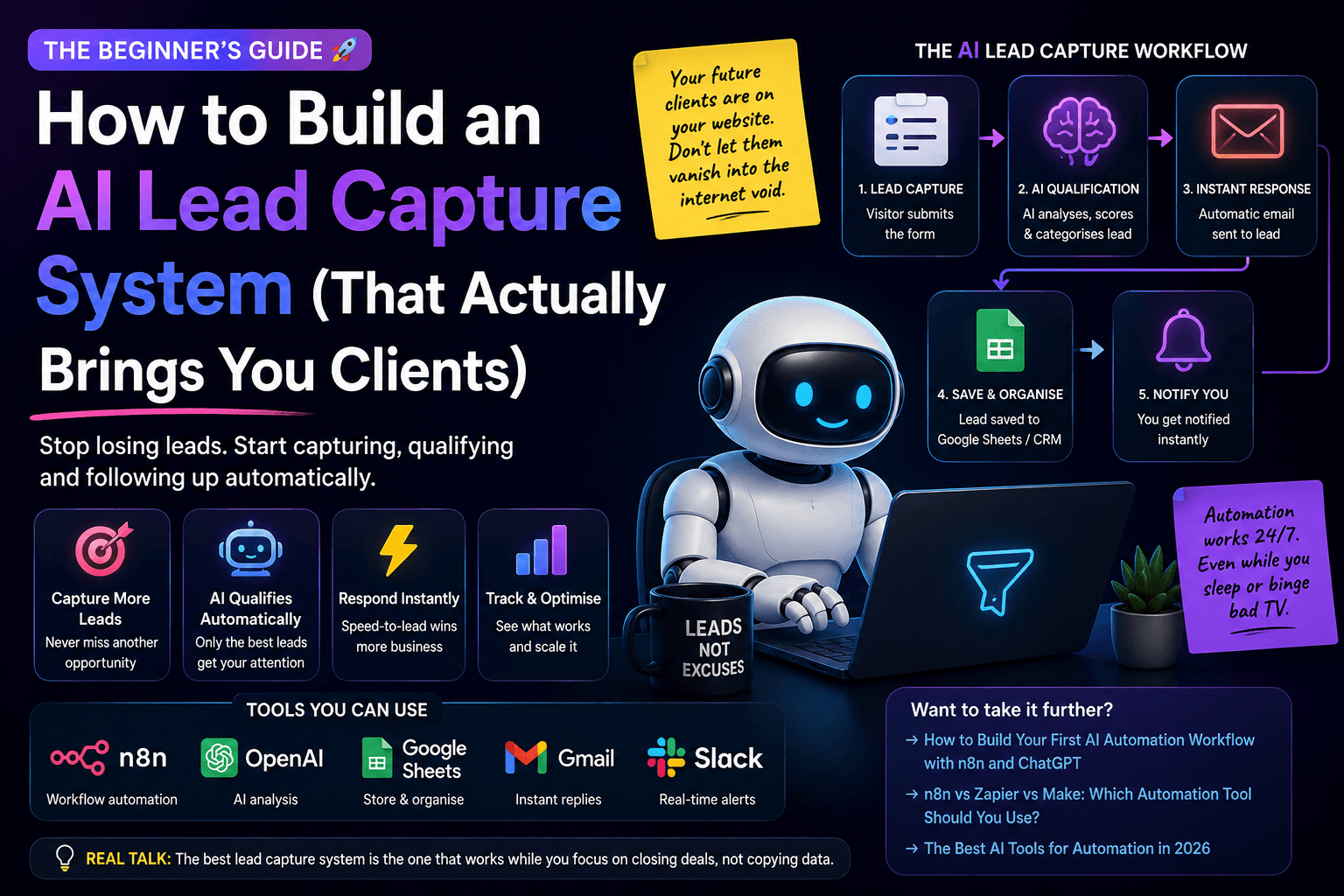
The Simple Lead Capture Workflow
A good AI lead capture system does not need to be complicated.
Start with this structure:
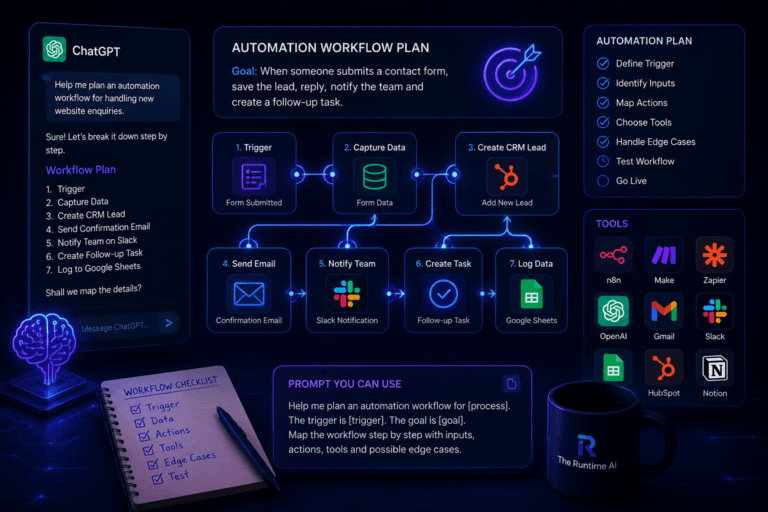
- A visitor submits a form.
- The form data is captured.
- The lead is saved somewhere organised.
- AI analyses the enquiry.
- The lead is categorised.
- A draft response is created.
- You get notified.
- A follow-up task is added.
- You review and reply.
That is it.
No need to begin with a 47-node monster workflow that looks like a tube map designed by someone who has not slept since Tuesday.
Start simple.
Make it useful.
Then improve it.
If you are new to planning workflows, read How to Use ChatGPT to Plan an Automation Workflow before building anything. It will help you think through the trigger, steps, data and edge cases before opening n8n, Zapier or Make.
The Tools You Can Use
There are many ways to build an AI lead capture system.
You do not need every tool below. Choose based on your current setup and comfort level.
Form or website
You need somewhere for the lead to come from.
This could be:
- WordPress form
- Webflow form
- Typeform
- Tally
- Jotform
- Custom form
- Lovable app
- Vibe-coded landing page
If you are building your own app or landing page with AI, read What Is Vibe Coding? A Beginner’s Guide to Building Apps With AI.
Workflow automation tool
This controls the process.
Good options include:
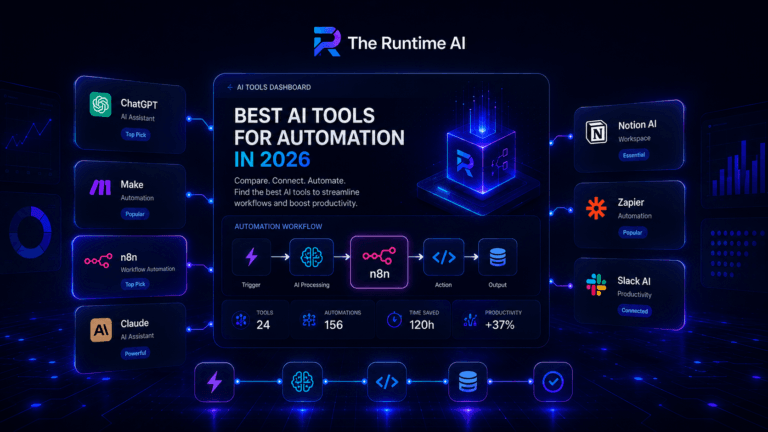
If you are unsure which one is right for you, read n8n vs Zapier vs Make: Which Automation Tool Should You Use?.
AI model
This analyses the lead.
You could use:
- ChatGPT
- OpenAI API
- Claude
- Gemini
For workflow automation, OpenAI is commonly used because it integrates well with tools like n8n and Zapier.
Storage
You need somewhere to keep the lead.
Start simple:
- Google Sheets
- Airtable
- Notion
- HubSpot
- Pipedrive
- Supabase
- Your own database
Do not build a full CRM empire before you have one lead capture workflow working.
A clean Google Sheet is better than a half-built “enterprise growth operating system” that nobody understands.
Notifications
You need to know when a lead arrives.
Use:
- Gmail
- Outlook
- Slack
- Microsoft Teams
- WhatsApp tools
- CRM notifications
The notification should not just say:
“New lead.”
It should include the useful summary, category and suggested next action.
That is where the system starts to feel genuinely helpful.
Step 1: Design the Lead Form
Your lead capture system starts with the form.
This is where many businesses go wrong.
They either ask for too little information:
- Name
- Message
Or they ask for far too much:
- Name
- Phone
- Company
- Job title
- Company size
- Budget
- Timeline
- Favourite sandwich
- Childhood ambition
- Blood type, probably
The goal is to collect enough information to qualify the lead without making the form feel like a mortgage application.
Good fields to include
For a small business or service provider, use something like:
- Name
- Business name
- Website
- What do you need help with?
- What tools are you currently using?
- How soon do you need help?
- Optional budget range
That is enough to work with.
Keep the main question open
The most useful field is usually:
“What do you need help with?”
That gives AI something to analyse.
Dropdowns are useful, but the free-text answer tells you what the person actually cares about.
A dropdown says:
“Booking system.”
The message says:
“We are getting bookings through Instagram, payments through Square and parent questions on WhatsApp, and we keep losing track.”
That is much richer.
That is the difference between a label and a real sales opportunity.
Step 2: Capture the Lead in Your Workflow Tool
Once the form is submitted, your automation tool needs to receive the data.
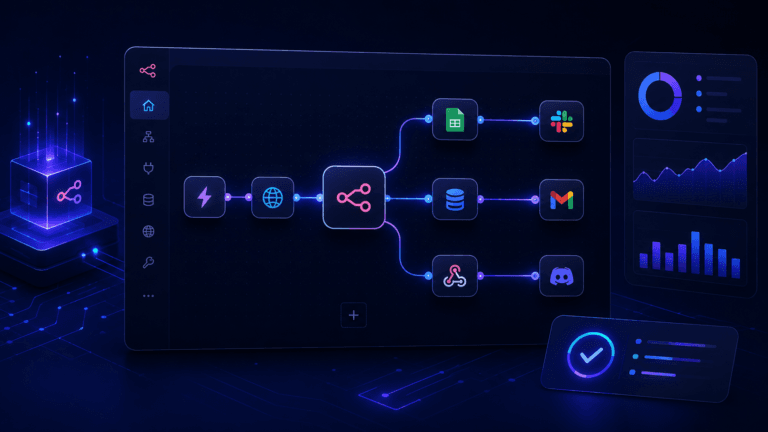
In n8n, a common way to do this is with the Webhook node. A webhook lets another app send data into your workflow when something happens.
In simple terms:
Form submitted → webhook receives data → workflow starts.
Zapier and Make have similar trigger options for forms, apps and webhooks.
The important part is that the lead enters your system automatically.
No copying.
No pasting.
No “I’ll update the spreadsheet later”.
Later is a dangerous place. Many leads never return from there.
Step 3: Save the Lead Somewhere Organised
Before AI does anything clever, save the lead.
This matters because if something breaks later in the workflow, you still have the enquiry.
At minimum, save:
- Name
- Business name
- Website
- Message
- Date submitted
- Lead source
- Status
- Category
- Notes
- Follow-up date
For a simple first version, Google Sheets or Airtable is fine.
For a more serious system, use a CRM or a database like Supabase.
The key is that every lead should have a status.
Example statuses:
- New
- Reviewed
- Contacted
- Follow-up needed
- Proposal sent
- Converted
- Not a fit
Without statuses, your lead list becomes a digital drawer full of good intentions.
And nobody wants that drawer.
Step 4: Use AI to Classify the Lead
Now AI becomes useful.
Ask the AI to classify the enquiry into clear categories.
For example:
- Booking system
- Workflow automation
- CRM setup
- AI chatbot
- Client portal
- Reporting dashboard
- Website enquiry
- General question
- Not a fit
The exact categories depend on your business.
For The Runtime AI or an automation business, categories might be:
- AI automation
- n8n workflow
- SaaS idea
- Vibe coding project
- Lead capture system
- Booking system
- AI agent
- Content workflow
This helps you understand what people are asking for.
It also makes reporting easier later.
You can start seeing patterns like:
“Most enquiries this month are about booking systems and AI lead capture.”
That is useful business intelligence.
Much better than “I feel like people ask about automation sometimes”.
Feelings are nice. Data pays better.
Step 5: Score the Lead
Lead scoring helps you decide who to prioritise.
Do not overcomplicate this at the start.
Use a simple score from 1 to 5.
Example scoring system
5 — Strong lead
- Clear problem
- Good fit
- Urgent need
- Budget or buying intent mentioned
- Relevant business type
4 — Good lead
- Clear problem
- Good fit
- Some missing details
3 — Possible lead
- Interested but vague
- Needs follow-up questions
2 — Low fit
- Not your main service
- Unclear problem
- Weak buying signal
1 — Not relevant
- Spam
- Wrong service
- No clear need
The AI can suggest the score and explain why.
For example:
Score: 4
Reason: The lead has a clear booking and payment workflow problem, uses multiple disconnected tools, and appears to need a custom system. Budget not mentioned.
That gives you a fast overview.
But do not let AI reject leads automatically at the beginning.
Let it recommend.
You decide.
AI is useful, but it can still misread a good opportunity if the person writes awkwardly.
And let’s be honest, half the internet writes awkwardly.
Step 6: Generate a Useful Lead Summary
A good lead summary saves time.
Instead of reading the full enquiry every time, you get a clean version:
- Who they are
- What problem they have
- What tools they use
- What they probably need
- What information is missing
- Suggested next step
Example:
This lead runs a children’s activity business and is struggling to manage bookings, payments and parent messages across WhatsApp, Square and spreadsheets. They likely need a booking system with payment tracking, capacity management and automated confirmation emails. Ask how many bookings they handle per week and whether they already have a website.
That is useful.
It turns a messy message into something you can act on.
This is one of the easiest wins in any AI lead capture system.
Step 7: Draft the First Reply
This is where the system starts to save serious time.
AI can draft a personalised reply based on the lead’s message.
The reply should:
- Thank them
- Reflect their actual problem
- Ask smart follow-up questions
- Suggest a next step
- Sound like a human, not a corporate helpdesk from 2008
Example:
Hi Sarah, thanks for getting in touch. It sounds like the main issue is that bookings, payments and parent messages are spread across different tools, which makes everything harder to manage as the club gets busier.
A booking system could definitely help with this, especially if it tracks dates, payments, child details and capacity in one place.
A couple of useful questions: how many bookings do you usually handle per week, and are you currently taking payments through Square or another provider?
Happy to take a look and suggest the simplest setup.
That is a strong first draft.
You can edit it quickly and send.
Important rule
Do not automatically send AI-generated replies at the beginning.
Let AI draft.
You review.
Then send.
That keeps the workflow safe while you learn how reliable the AI output is.
Nobody wants an AI assistant replying to a serious business enquiry with:
“Amazing! This sounds like a transformative journey of operational excellence.”
Please stop transforming journeys. Just answer the lead.
Step 8: Notify Yourself Properly
A bad notification says:
“New form submission.”
A good notification says:
“Strong lead: Booking system enquiry. Uses Square, WhatsApp and spreadsheets. Suggested reply ready. Follow up today.”
That is the difference between noise and useful information.
Your notification should include:
- Name
- Business
- Category
- Score
- Summary
- Suggested next action
- Link to CRM or spreadsheet row
- Draft reply
You can send this to:
- Slack
- Teams
- CRM
- Notion
- Airtable
- Google Sheets
If speed matters, send it somewhere you actually check.
A perfect notification in a tool you never open is just a beautifully organised missed opportunity.
Step 9: Create a Follow-Up Task
This is one of the most important parts.
Capturing a lead is not enough.
Following up is where the money is.
Your AI lead capture system should create a follow-up task automatically.
For example:
- Follow up in 1 day for hot leads
- Follow up in 3 days for warm leads
- Ask for more info if details are missing
- Mark low-fit leads for review
- Archive spam
You can create tasks in:
- Google Calendar
- Notion
- Trello
- ClickUp
- Todoist
- HubSpot
- Pipedrive
- Airtable
The follow-up should include context.
Not just:
“Follow up with John.”
Better:
“Follow up with John about booking system enquiry. He uses Square and WhatsApp, needs better capacity/payment tracking, and asked whether this can be built quickly.”
Future you will be grateful.
Future you has enough problems.
Help them out.
Step 10: Track Results and Improve
Once your system is running, review the results.
Look at:
- How many leads came in
- Which categories are most common
- Which leads converted
- Which sources produced good leads
- Which AI scores were accurate
- Which draft replies worked
- Where the system made mistakes
This is how your AI lead capture system gets better.
You may discover that:
- Most leads come from one blog article
- Booking system enquiries convert better than chatbot enquiries
- Leads with clear tool names are easier to qualify
- AI is scoring some vague leads too low
- Your form needs one extra question
That is valuable.
The goal is not to build a perfect system on day one.
The goal is to build a system that improves.
If you are thinking about turning this kind of workflow into a product or service, read SaaS Ideas 2026: 7 Micro-SaaS Ideas Worth Building. Lead capture systems can become very strong niche SaaS products when built for a specific industry.
Example Prompt for AI Lead Qualification
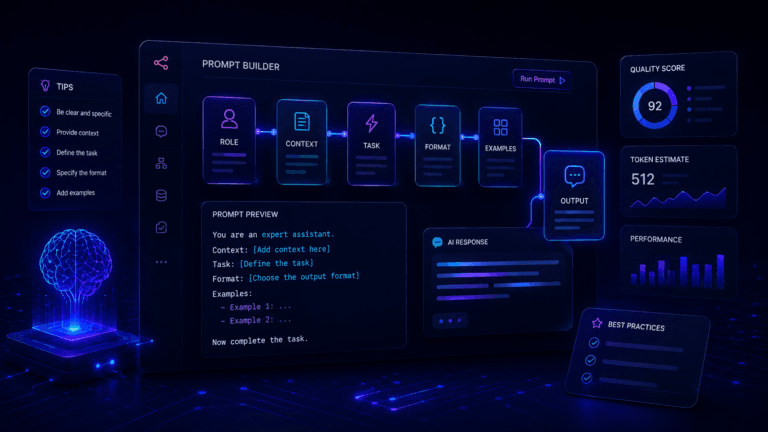
Here is a prompt you can adapt inside ChatGPT, n8n, Zapier or Make.
You are an assistant helping qualify website enquiries for a small business.

Analyse the lead below and return the result in structured format.

Classify the enquiry into one of these categories:
- Booking system
- Workflow automation
- CRM setup
- AI chatbot
- Client portal
- Reporting dashboard
- General enquiry
- Not a fit

Score the lead from 1 to 5:
1 = not relevant
2 = low fit
3 = possible fit
4 = good fit
5 = strong fit

Return:
- Category
- Lead score
- Short summary
- Main problem
- Tools mentioned
- Missing information
- Suggested next action
- Draft reply

Rules:
- Do not invent details.
- If information is missing, say so.
- Keep the draft reply friendly, clear and professional.
- Do not promise pricing or delivery timelines.
- Ask useful follow-up questions.

Lead details:
Name: {{name}}
Email: {{email}}
Business: {{business}}
Website: {{website}}
Message: {{message}}
This is a good starting point.
You can make it more specific for your business later.
For better prompting structure, read Prompt Engineering for Beginners.
Example n8n Workflow Structure
If you were building this in n8n, the workflow could look like this:
- Webhook Trigger receives the form submission.
- Set/Edit Fields cleans the data.
- Google Sheets, Airtable or CRM node saves the raw lead.
- OpenAI node classifies and summarises the lead.
- IF node checks the score or category.
- Gmail/Outlook node prepares a draft reply or sends an internal notification.
- Slack/Teams node notifies you.
- Task/CRM node creates a follow-up task.
- Update row/record saves the AI summary and status.
That is a practical first version.
If you are new to this type of workflow, start with How to Build Your First AI Automation Workflow with n8n and ChatGPT. It covers the same basic pattern: receive data, send it to AI, structure the response and decide what happens next.
Where AI Agents Fit In
At first, your AI lead capture system does not need to be a full AI agent.
A basic AI step is enough:
Read this message and classify it.
But later, you could make it more agentic.
An AI agent could:
- Check the CRM for previous conversations
- Look at the person’s website
- Decide which service page is most relevant
- Draft a more personalised reply
- Suggest a proposal type
- Recommend whether to follow up today or later
That is more advanced.
It also needs more guardrails.
The more tools an AI system can use, the more carefully you need to test it.
If you are still unsure where automation ends and agents begin, read AI Agents vs Automation: What’s the Difference?. That article explains when to use fixed workflows, when to use AI agents and why the best systems often use both.
Common Mistakes to Avoid
1. Asking for too much information
If your form is too long, people will not complete it.
Start with the essentials.
2. Letting AI send replies automatically too soon
Draft first.
Send later.
Human review keeps the system safe.
3. Not saving the raw lead first
Always save the original submission before AI processing.
If the AI step fails, you still have the enquiry.
4. Using vague categories
Categories like “important” or “general” are not very helpful.
Use categories that match your services and decisions.
5. No follow-up process
Lead capture without follow-up is just digital hoarding.
The system should help you take action.
6. No testing with real messy messages
Test with realistic enquiries, not perfect examples.
People write strangely. Your workflow needs to handle that.
7. Building too much too soon
Start with:
- Capture
- Save
- Summarise
- Notify
- Follow up
Then improve.
Do not build the CRM equivalent of a spaceship before you can reliably collect one lead.
The Best First Version
Your first AI lead capture system should be simple.
Here is the minimum useful version:
- Website form submitted.
- Lead saved to Google Sheets or Airtable.
- AI summarises and classifies the lead.
- AI drafts a reply.
- You receive an email or Slack notification.
- A follow-up task is created.
- You review and respond.
That is enough.
It saves time.
It improves response speed.
It makes leads easier to manage.
It gives you a system you can improve.
And most importantly, it helps stop good enquiries from disappearing into inbox chaos, which is where business opportunities go to put on a tiny invisibility cloak.
Final Thoughts
An AI lead capture system is not about replacing sales, customer service or human judgement.
It is about giving your business a better first response process.
The best system does three things well:
- Captures the lead.
- Understands the lead.
- Helps you follow up quickly.
That is it.
No need for a giant AI platform.
No need for a 40-step workflow on day one.
No need to tell LinkedIn you have built an “autonomous revenue intelligence engine”.
Just build a useful system that helps you respond faster and manage opportunities properly.
Because in many small businesses, the biggest improvement is not more traffic.
It is not a new logo.
It is not another software subscription.
It is simply this:
Stop losing the leads you already have.
Build that first.
Then improve it.
And when your future clients stop vanishing into the internet void, you will be glad you did.
The Runtime AI covers practical AI automation, workflow systems, SaaS and vibe coding for people who actually build things. For more practical guides, read AI Agents vs Automation: What’s the Difference?, How to Build Your First AI Automation Workflow with n8n and ChatGPT and What Is Vibe Coding? A Beginner’s Guide to Building Apps With AI.