What Is n8n and Why Should You Use It?
If you’ve been exploring automation tools lately, you’ve probably come across n8n at some point. Maybe someone mentioned it in a Reddit thread. Maybe you saw it compared to Zapier. Maybe you just stumbled across it and thought “what on earth is that?”
This article answers that question properly — not with a dry technical definition, but with a real explanation of what n8n actually does, why it’s become one of the most talked-about automation tools in 2026, and whether it’s the right tool for you.
Let’s start from the beginning and answer the question properly: what is n8n and why does it matter?
The Problem n8n Solves
Before we talk about n8n specifically, it helps to understand the problem it’s solving.
Most people who run a business — or even just a busy personal workflow — spend a surprising amount of time doing things that could easily be automated. Copying data from a form into a spreadsheet. Sending the same type of email every time a new customer signs up. Manually updating a CRM after every call. Creating tasks in a project management tool based on emails you receive.
None of these tasks are difficult. But they’re repetitive, they eat into your day, and — crucially — they don’t need a human to do them.
That’s the core problem. So what is n8n, and how does it solve it? It lets you connect your apps and services together so that when one thing happens, a series of other things happen automatically, without you having to touch it.
So What Is n8n, Exactly?
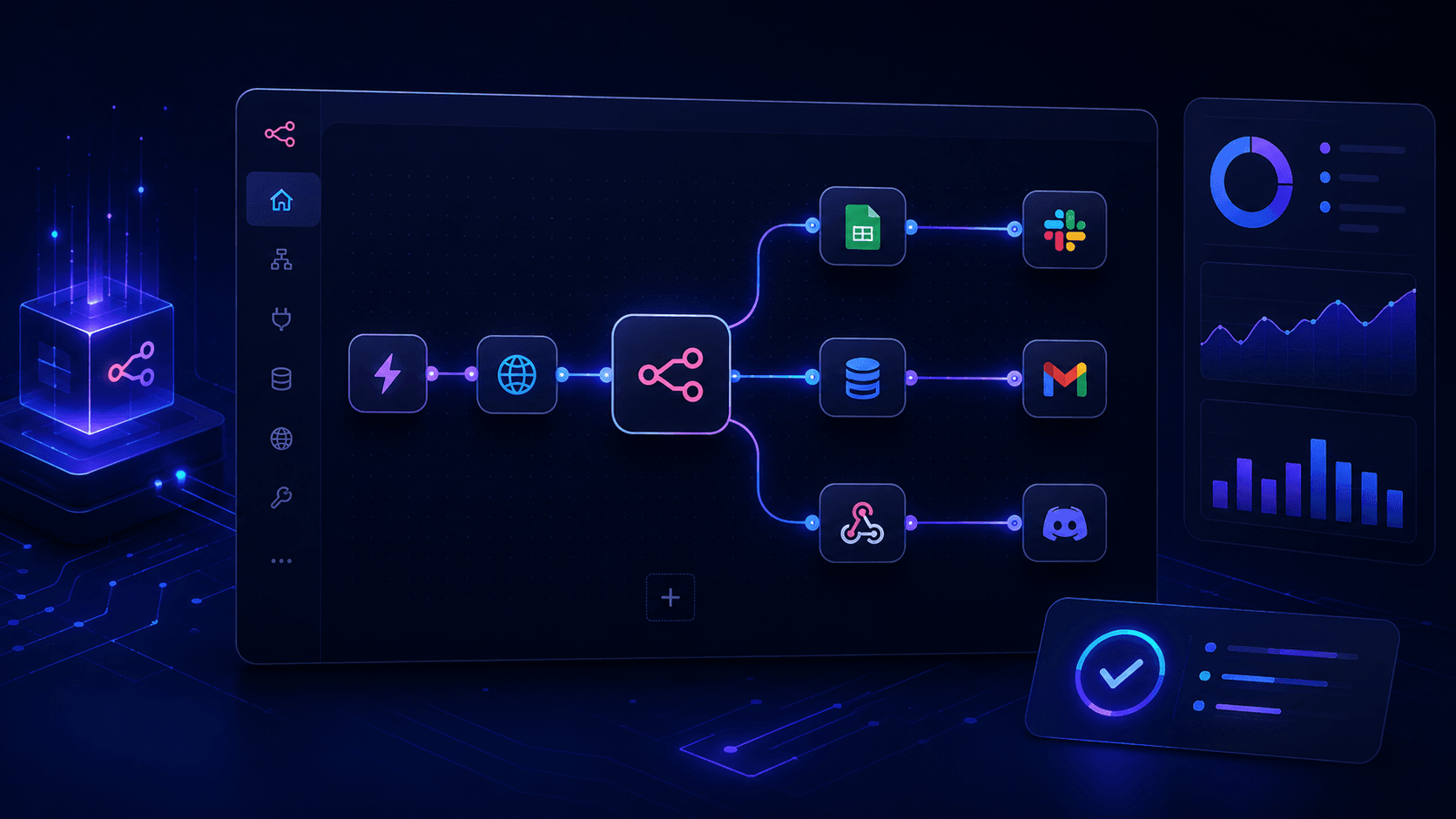
n8n (pronounced “n-eight-n”, short for “nodemation”) is an open-source workflow automation platform. It gives you a visual canvas where you connect different tools — apps, APIs, databases, AI services — into automated workflows.
The building blocks are called nodes. Each node represents either a trigger (something that starts the workflow) or an action (something the workflow does). You connect nodes together like a flowchart, and n8n runs the whole thing automatically.
Here’s a simple example to make it concrete:
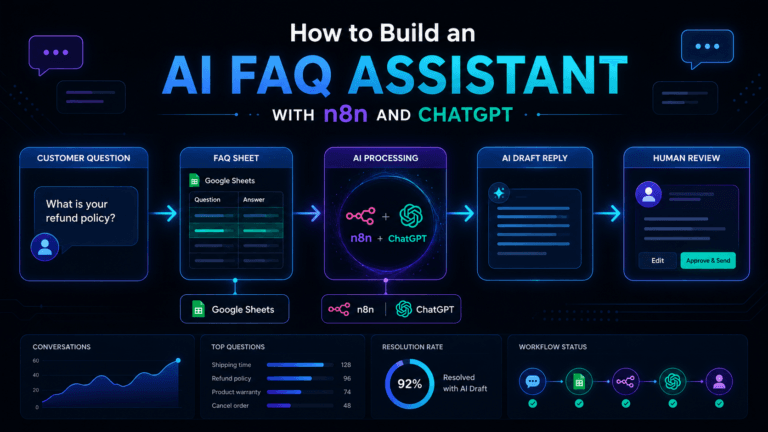
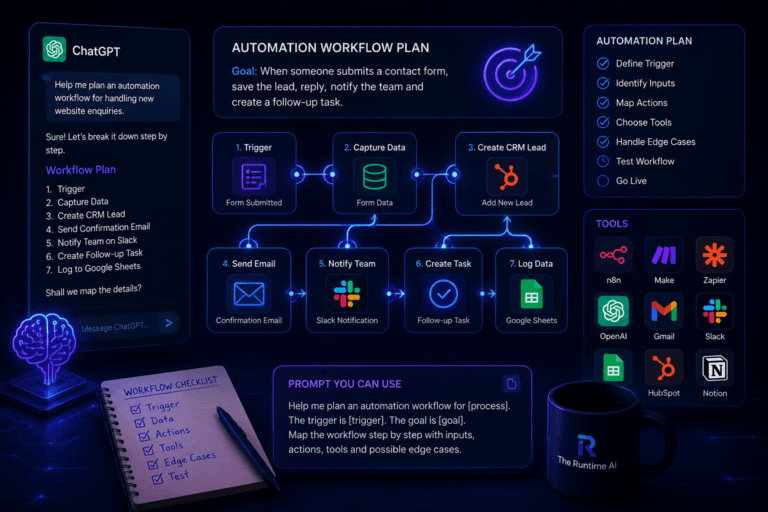
A customer fills out a contact form on your website. → n8n captures the form data → saves it to a Google Sheet → sends the customer a personalised confirmation email → creates a task in Notion for your team → sends a Slack message to your sales channel
All of that happens in seconds, automatically, without you doing a thing. And that’s a relatively simple workflow — n8n can handle far more complex ones.
How Is n8n Different From Zapier or Make?
This is the question most people ask, so let’s address it directly.
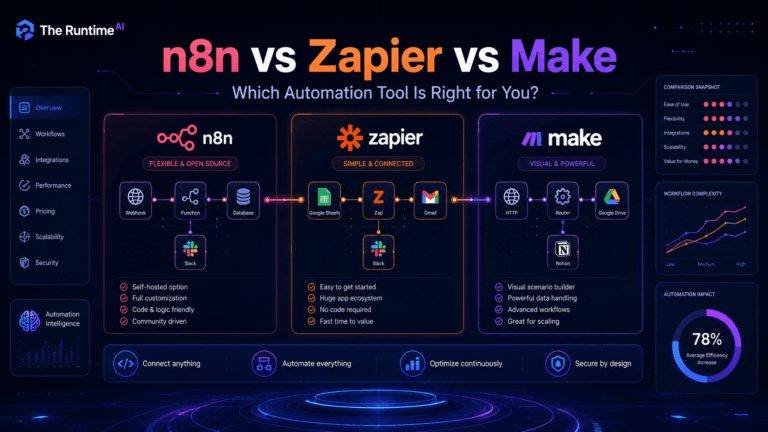
Zapier is the easiest tool to start with. You choose a trigger, choose an action, connect two apps, and it works. Great for simple automations. But it gets expensive fast, and complex logic — branches, loops, conditions — gets messy and costly.
Make (formerly Integromat) is more visual and more flexible than Zapier. It handles complex workflows better and is generally cheaper. A solid middle ground.
n8n is the most powerful of the three, and also the most flexible. The key differences:
- Open source — you can self-host it completely free. No monthly bill.
- Full technical control — you can write custom code inside workflows, call any API, work with raw data structures, build complex logic.
- AI-native — n8n has deep integrations with AI models, making it excellent for building AI-powered automation workflows.
- No per-task pricing — Zapier and Make charge based on how many automations run. n8n’s self-hosted version has no such limit.
The honest trade-off: n8n has a steeper learning curve than Zapier, especially at the beginning. But once you understand how it works, you can build automations that simply aren’t possible in other tools — or would cost ten times as much.
What Can You Actually Build With n8n?
Let me give you real examples rather than abstract descriptions.
Lead capture and follow-up New enquiry comes in → n8n saves it to your CRM → sends a personalised welcome email → notifies your team → schedules a follow-up reminder for 48 hours later. All automatic.
AI content workflow You add a topic to a spreadsheet → n8n sends it to an AI model to generate a draft → saves the draft to Notion → sends you a Slack message to review it. Your content pipeline runs itself.
Client onboarding New client signs a contract → n8n creates their folder in Google Drive → sends them a welcome email with next steps → creates an onboarding task list → books an intro call via Calendly. Zero manual admin.
Reporting automation Every Monday morning, n8n pulls data from your analytics tools, formats it into a summary and emails it to your team. No more manually building weekly reports.
Customer support routing Incoming support message arrives → n8n sends it to an AI model to classify the issue → routes it to the right team member → creates a ticket → sends the customer an automated acknowledgment.
These aren’t hypothetical. These are workflows people are running right now with n8n, and most of them took a few hours to build.
Is n8n Only for Developers?
This is probably the most important question for most readers, so I want to answer it honestly.
No — but some technical comfort helps.
You can build simple and moderately complex workflows in n8n without writing a single line of code. The visual editor is genuinely usable by non-developers. If you can think logically about how data moves from one place to another, you can build real automations in n8n.
Where it gets more technical is when you need to:
- Work with APIs that require authentication or specific request formats
- Transform complex data structures (JSON, arrays, nested objects)
- Write conditional logic for edge cases
- Debug workflows that aren’t behaving as expected
If those things sound unfamiliar, don’t let them put you off. They’re all learnable, and the n8n community and documentation are genuinely good. But go in knowing there’s a learning investment involved.
The sweet spot for n8n is people who sit somewhere between pure business users and developers — technical enough to enjoy figuring things out, but not necessarily writing production code day to day. IT professionals, operations people, technical founders, automation builders and agencies tend to love it.
Why n8n Has Become So Popular in 2026
A few years ago, n8n was a niche tool used mainly by developers. That’s changed significantly.
The main reasons for its growth:
The rise of AI workflows. As AI tools have become central to how people work, the need for automation that connects AI models to real business processes has exploded. n8n handles this exceptionally well — you can plug in ChatGPT, Claude, Gemini, local AI models and more, directly into your workflows.
The cost of Zapier at scale. As businesses automate more, Zapier’s per-task pricing adds up quickly. n8n’s self-hosted version has no such limit, which makes it dramatically cheaper for high-volume automation.
The no-code movement maturing. More people than ever are comfortable learning technical tools, even without a traditional software background. n8n’s learning curve, which once felt like a barrier, is now just seen as part of the process.
Open source trust. For businesses that handle sensitive data, the ability to self-host n8n — rather than sending data through a third-party platform — matters.
How to Get Started With n8n
If you want to try n8n without any setup, the fastest way is n8n Cloud. You get a free trial, the interface runs in your browser, and you can start building workflows immediately. Plans start at around $20/month.
If you want the fully free version, you can self-host n8n using Docker or on a VPS. This takes a bit more technical setup but costs nothing beyond your server costs (typically £3–£10/month on a basic VPS).
The best way to learn n8n is to build something real. Pick one repetitive task you do manually every week. Start there. Build that workflow. Get it working. Everything else becomes clearer once you’ve seen your first automation run end-to-end.
You don’t need to understand everything before you start. You just need one problem and a willingness to figure it out.
Is n8n Right for You?
Here’s a simple way to think about it:
Start with n8n if:
- You want serious flexibility and long-term power
- You’re comfortable learning technical tools
- You want AI-powered workflows
- You’re building automations for clients or a business
- You want to avoid per-task pricing at scale
Start with Zapier or Make instead if:
- You want the simplest possible experience
- Your automations are basic (two-step, trigger-action)
- You don’t have time to invest in a learning curve right now
There’s no wrong answer — they’re different tools for different situations. Many people start with Zapier and migrate to n8n later as their automation needs grow. That’s a perfectly reasonable path. Understanding what is n8n becomes much clearer once you’ve actually built something with it.
Final Thought
n8n is one of those tools that, once you understand it, changes how you think about work. You start looking at repetitive tasks differently. You start asking “could this be automated?” more often. And more often than you’d expect, the answer is yes.
It’s not the easiest tool to learn. But it might be the most valuable automation skill you can pick up in 2026.
Start with one simple workflow — and if you’re still asking what is n8n exactly, just remember: it’s the tool that connects everything together. One problem. One automation.
That’s all it takes to get it.
The Runtime AI covers practical AI automation, workflow systems, SaaS and vibe coding for people who actually build things. If you want to implement n8n or any other automation in your business, take a look at Alchemix Systems.