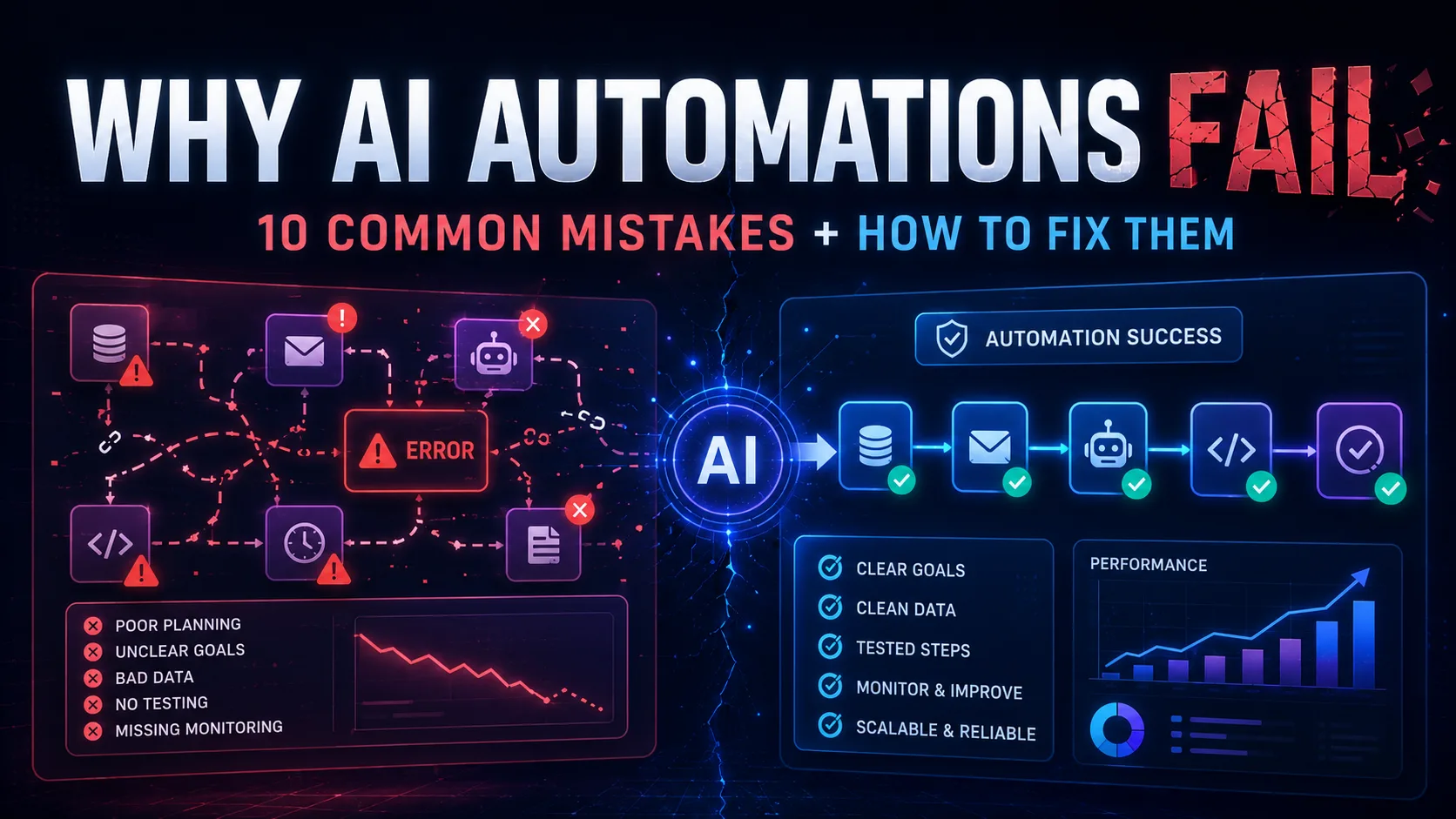
Why AI Automations Fail: 10 Common Mistakes and How to Fix Them
AI automation sounds amazing until it emails the wrong person, updates the wrong spreadsheet, classifies a refund request as a sales lead, and then proudly reports that everything was successful.
Very helpful. Very confident. Very wrong.
This is the side of AI automation people do not talk about enough.
Everyone loves the shiny demo:
“Look, this workflow reads emails, understands customer intent, updates the CRM, drafts replies, creates tasks and makes coffee.”
Okay, maybe not the coffee.
Yet.
But in real life, automations fail for boring reasons.
Bad planning. Messy data. Vague prompts. No error handling. No human review. No testing with realistic examples. Too many tools connected before the basic workflow even works.
That is how a clever automation becomes a tiny digital chaos machine wearing a productivity badge.
If you are building with n8n, Zapier, Make, ChatGPT, AI agents or any other workflow tool, understanding the most common AI automation mistakes will save you a lot of pain.
Because the goal is not to build something that looks impressive in a screenshot.
The goal is to build something useful, safe and reliable enough that you can actually trust it.
Let’s go through the mistakes that break AI automations — and how to fix them before your workflow starts behaving like it had three espressos and a vague LinkedIn strategy.
Why AI Automations Fail in the First Place
Most AI automations do not fail because AI is useless.
They fail because the process around the AI is weak.
That is an important difference.
A good workflow has structure:
- A clear trigger
- Clean input data
- Specific instructions
- Defined outputs
- Error handling
- Logging
- Testing
- Human review where needed
- A sensible way to recover when something breaks
A bad workflow has vibes.
And while vibes are excellent for playlists, they are not enough for business systems.
If you are still early in your automation journey, start with How to Use ChatGPT to Plan an Automation Workflow. Planning the workflow before building it is one of the simplest ways to avoid turning a useful idea into a confusing mess.
For hands-on building, n8n is one of the strongest tools for flexible workflows, and the official n8n documentation is worth keeping nearby once you move beyond simple examples.
Now let’s get into the mistakes.
Mistake 1: Automating a Broken Process
This is the classic one.
A business has a messy manual process.
Nobody fully understands it.
Everyone has a slightly different version of how it works.
There is a spreadsheet called final_updated_REAL_FINAL_v6.xlsx.
Someone says:
“Can we automate this?”
Technically, yes.
Should you?
Not yet.
If the process is broken manually, automation usually makes it broken faster.
Very efficient.
Very terrible.
Example
A small business receives enquiries from:
- Website forms
- Instagram messages
- Phone calls
- Random notes in someone’s notebook
Nobody knows which source should be treated as the official lead record.
If you automate that immediately, you will not create a clean lead system.
You will create a faster mess.
How to fix it
Before building anything, answer these questions:
- What is the exact starting point?
- What information must be collected?
- Where should the data live?
- Who owns the next action?
- What status should each item have?
- What happens if information is missing?
- What does “done” mean?
Automation works best when the process is already clear.
It does not need to be perfect.
But it does need to be understandable.
A rough process can be improved.
A mystery process cannot.
Mistake 2: Using AI When Normal Automation Is Enough
Not every workflow needs AI.
This may sound strange on an AI automation blog, but it is true.
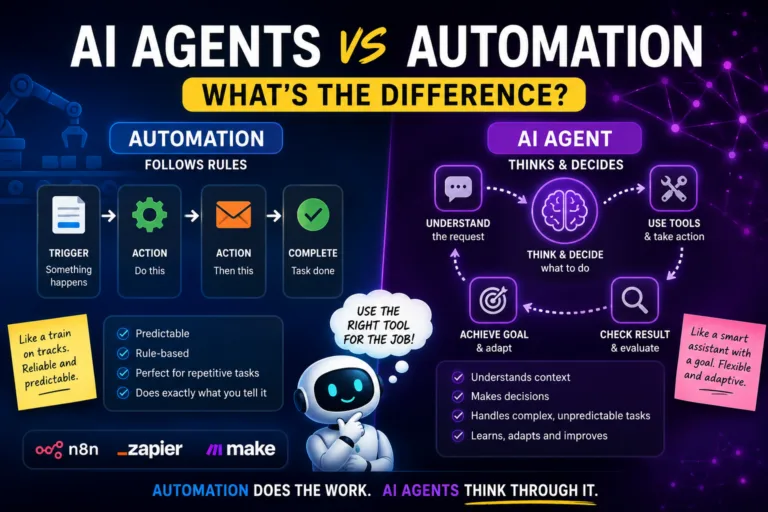
If the task is predictable and rule-based, normal automation is usually better.
For example:
- Send confirmation email after payment
- Add form submission to Google Sheets
- Notify the team when a booking is created
- Create a calendar event
- Move a file into the correct folder
- Update a CRM field
These tasks do not need a large language model.
They need rules.
Reliable, boring, beautiful rules.
Adding AI to these steps can make the workflow slower, more expensive and less predictable.
That is not innovation.
That is giving a toaster a philosophy degree.
How to fix it
Use this simple rule:
If the task follows fixed steps, use automation.
If the task needs judgement, context or interpretation, use AI.
For a deeper breakdown, read AI Agents vs Automation: What’s the Difference?.
The best systems usually combine both.
Automation handles the predictable steps.
AI handles the messy language.
Humans handle judgement.
That is the dream team.
Not glamorous. Very effective.
Mistake 3: Writing Vague Prompts
A vague prompt is like giving directions by saying:
“Just go over there somewhere.”
Then being surprised when the person ends up in Croydon.
AI needs clear instructions.
If your prompt says:
Summarise this enquiry and reply professionally.
you might get something usable.
You might also get a reply that sounds like it was written by a customer-service robot who has recently discovered motivational quotes.
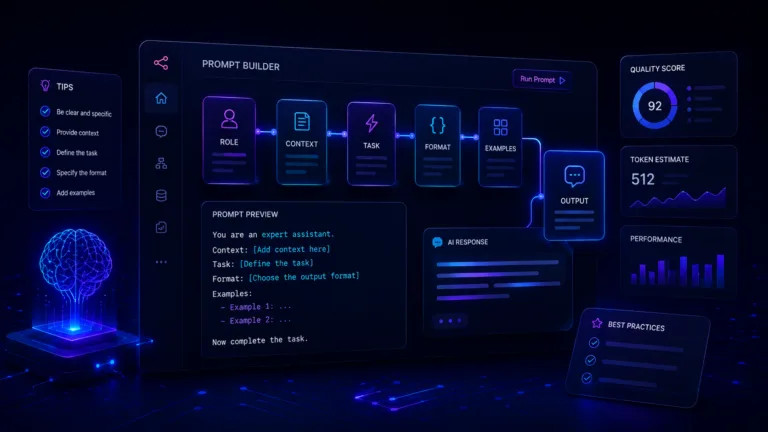
Better prompts include:
- Role
- Task
- Context
- Rules
- Output format
- Examples
- What not to do
Bad prompt
Reply to this customer.
Better prompt
You are helping a small business draft customer replies.

Read the customer message and produce:
- A one-sentence summary
- The likely category
- Missing information
- A friendly draft reply

Rules:
- Do not promise refunds, availability or booking changes.
- If information is missing, ask one clear follow-up question.
- Keep the tone friendly and practical.
- Return the result in JSON.
Much better.
The AI now knows what job it is doing.
If prompts are the weak point in your workflow, read Prompt Engineering for Beginners. OpenAI also has an official prompt engineering best practices guide, which is useful if you want to improve how you instruct models.
How to fix it
Before adding an AI step to a workflow, write down:
- What the AI should do
- What it should not do
- What data it can use
- What format it should return
- When it should ask for human review
A good prompt is not decoration.
It is part of the system design.
Mistake 4: Not Using Structured Outputs
This one causes so many problems.
AI returns a beautiful paragraph.
Then your workflow needs to extract a category, score, urgency level or next action from that paragraph.
Suddenly your automation is trying to understand the AI output like it is reading a dramatic email from a colleague.
Not ideal.
If the next step in your workflow needs specific fields, ask AI to return structured output.
Example
Instead of asking for this:
Tell me what kind of enquiry this is.
Ask for this:
{
  "category": "booking system",
  "priority": "high",
  "summary": "The customer needs help replacing manual booking admin.",
  "suggested_next_action": "Ask how many bookings they manage per week.",
  "needs_human_review": true
}
Now your workflow can use the fields properly.
An IF node can check priority.
A CRM can store the category.
A notification can include the summary.
A follow-up task can use the next action.
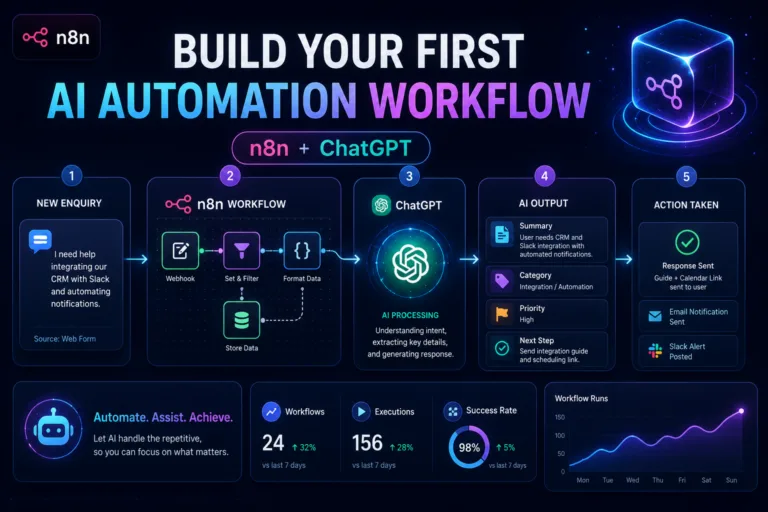
This is exactly the kind of structure used in How to Build Your First AI Automation Workflow with n8n and ChatGPT and How to Build an AI FAQ Assistant With n8n and ChatGPT.
How to fix it
Whenever AI output will be used by another step, request JSON.
Use fields like:
- category
- confidence
- summary
- score
- urgency
- next_action
- needs_human_review
- reason
This makes the workflow easier to test, debug and improve.
Paragraphs are nice for humans.
Structured data is better for automations.
Mistake 5: Trusting AI Too Early
AI can be incredibly useful.
It can also be incredibly confident when wrong.
That combination is dangerous.
Especially if you let it send emails, update records, approve refunds, change bookings or make decisions without review.
A beginner AI workflow should usually start like this:
AI suggests.
Human reviews.
Automation records the outcome.
Not:
AI decides everything and runs the business while you hope for the best.
That is not automation.
That is digital roulette with a nicer dashboard.
Example
Suppose a customer asks:
“Can I get a refund if my child cannot attend?”
AI might draft a reply based on your policy.
That is fine.
But should it automatically issue a refund?
Probably not.
At least not until the workflow is tested, controlled and connected to reliable source data.
How to fix it
Start with a human-in-the-loop workflow.
For example:
- Customer message arrives.
- AI summarises and drafts a reply.
- Human reviews the draft.
- Human sends or approves.
- Automation logs the action.
n8n’s Gmail message operations can support human review-style message flows, which is useful when you want AI to help but not act completely on its own.
Do not begin with full autonomy.
Earn autonomy through testing.
Like giving car keys to a teenager.
Slowly.
Nervously.
With supervision.
Mistake 6: No Error Handling
Many workflows are built as if everything will always work.
The form will submit correctly.
The API will respond.
The spreadsheet will be available.
The email will send.
The AI will return valid JSON.
The customer will include all required information.
That is adorable.
Unfortunately, real systems fail.
APIs time out.
Credentials expire.
Fields are missing.
AI returns malformed output.
Someone deletes a spreadsheet column because “it looked unused”.
Now the workflow breaks, and nobody knows until a customer complains.
Lovely.
How to fix it
Add error handling from the beginning.
At minimum, think about:
- What happens if the AI step fails?
- What happens if Google Sheets is unavailable?
- What happens if the email node fails?
- What happens if the AI output is not valid JSON?
- What happens if required customer data is missing?
- Who gets notified when something breaks?
n8n provides execution history, and its executions documentation explains how workflow executions can be reviewed and failed workflows retried.
That matters because when something breaks, you need visibility.
A workflow without logs is just a mystery with arrows.
Simple error-handling idea
If an AI step fails:
- Save the original input.
- Mark the item as “AI failed”.
- Notify the admin.
- Continue safely where possible.
Do not let one failed AI response destroy the whole process.
Your automation should fail gracefully.
Not dramatically.
This is business software, not theatre.
Mistake 7: Testing With Perfect Examples Only
This is a sneaky one.
You test your workflow with a perfect example:
Hello, I would like to enquire about your booking system service. My business currently uses spreadsheets and manual payments. Please contact me.
The workflow works.
Beautiful.
Then a real customer writes:
Hi sorry random one but do u help with booking stuff? we use whatsap and payments r a mess lol
The workflow panics internally and classifies it as “general enquiry”.
Real users do not write like test data.
They are busy, tired, vague, distracted and often typing with one thumb while doing something else.
Your test examples need to reflect that.
How to fix it
Test with messy inputs:
- Short messages
- Long messages
- Vague questions
- Typos
- Missing information
- Multiple requests in one message
- Angry messages
- Confusing wording
- Unexpected categories
- Irrelevant messages
- Spam
If you are building a support-style workflow, test messages like:
I paid but no email came through
Can I change tomorrow to Friday?
Do you still have spaces?
Not happy, nobody replied
Hi
That last one is painful.
But realistic.
The workflow should not break just because a human behaved like a human.
Mistake 8: No Clear Ownership
Automation does not remove responsibility.
It moves responsibility.
That means someone still needs to own the process.
If a workflow fails, who checks it?
If AI marks a lead as low priority, who reviews it?
If a draft reply is wrong, who fixes the prompt?
If a customer complains, who investigates the workflow?
If the answer is “everyone”, the real answer is “nobody”.
How to fix it
Every automation should have an owner.
For each workflow, define:
- Who owns it?
- Who gets failure alerts?
- Who reviews low-confidence AI outputs?
- Who updates the prompt?
- Who checks performance?
- Who can pause the workflow?
- Who knows how it works?
This does not need to be complicated.
For a small business, it may just be the owner.
For a team, assign one person.
But someone needs to know:
“This workflow is mine.”
Otherwise your automation becomes digital office furniture.
Everyone sees it.
Nobody maintains it.
Mistake 9: Connecting Too Many Tools Too Soon
This is where people get excited.
They open n8n.
They connect Gmail, Google Sheets, Slack, Notion, Airtable, HubSpot, OpenAI, Calendar, Stripe, Typeform and a CRM they are not fully using.
Then something breaks.
Of course it breaks.
You have built a software centipede.
Please do not build a software centipede.
Start smaller.
Bad first version
Website form → AI → CRM → Slack → Gmail → Notion → Calendar → Invoice tool → Dashboard → Follow-up campaign → AI agent → Customer reply
Better first version
Website form → AI summary → Email notification
That is enough to start.
Once that works, add:
Save to Google Sheets
Then:
Create follow-up task
Then:
Draft reply
Then:
CRM update
Build in layers.
If you are comparing tools before building, read n8n vs Zapier vs Make: Which Automation Tool Should You Use?. The right tool depends on how much control, simplicity and flexibility you need.
How to fix it
Use the smallest useful workflow.
Ask:
“What is the minimum version that saves time today?”
Build that first.
Then improve it.
Your first automation does not need to become a SaaS platform by lunchtime.
Let it breathe.
Mistake 10: Forgetting the Customer Experience
A workflow can be technically successful and still bad for the customer.
This happens more often than people admit.
The automation runs.
The email sends.
The CRM updates.
The Slack message appears.
Everything is green.
But the customer receives a reply that is cold, confusing, too long, too generic or obviously AI-written.
That is not success.
That is a workflow passing a test and failing the relationship.
Example
Customer asks:
“Hi, I’m not sure if my payment went through. Can you check?”
Bad AI reply:
“Thank you for your enquiry regarding the status of your transaction. We understand the importance of financial confirmation in customer journeys.”
Nobody talks like this.
Nobody wants this.
A better reply:
“Hi Sarah, thanks for getting in touch. If your payment was successful, you should receive a confirmation email. Could you send the email address you used for the booking so we can check it for you?”
Much better.
Clear. Useful. Human.
How to fix it
Review AI outputs for:
- Tone
- Length
- Clarity
- Accuracy
- Helpfulness
- Missing context
- Weird corporate phrases
- Overpromising
- Unnecessary enthusiasm
Tell the AI how to sound.
For example:
Write in a friendly, clear and practical tone. Avoid corporate phrases like “seamless experience”, “unlock potential” and “transform your journey”.
A good automation should feel helpful.
Not like a robot wearing a customer-service headset and reading from a motivational poster.
Bonus Mistake: Not Measuring Whether It Actually Helps
Some automations feel productive because they exist.
That does not mean they help.
You need to measure whether the workflow improves anything.
Otherwise you are just collecting automations like browser tabs.
Track simple metrics
Depending on the workflow, track:
- Time saved
- Number of tasks processed
- Failed runs
- Manual corrections needed
- Response time
- Lead follow-up time
- Customer satisfaction
- Conversion rate
- Number of low-confidence outputs
- Number of times human review was needed
For example, with an AI lead capture system, useful metrics might be:
- How many leads came in
- How quickly they were reviewed
- How many were classified correctly
- How many became real conversations
- Which lead categories converted best
That turns automation into improvement.
Not just decoration.
A Simple Framework for Better AI Automations
Here is a practical framework you can use before building any AI workflow.
1. Define the trigger
What starts the workflow?
Examples:
- Form submitted
- Email received
- Booking created
- Payment confirmed
- New row added
- File uploaded
2. Define the input
What data does the workflow need?
Examples:
- Customer name
- Email address
- Message
- Booking reference
- Payment status
- FAQ context
- CRM history
3. Define the AI task
What should AI actually do?
Examples:
- Summarise
- Classify
- Draft
- Score
- Extract fields
- Suggest next action
Be specific.
“Analyse this” is not specific.
“Classify this enquiry into one of five categories and explain the reason” is specific.
4. Define the output
What should AI return?
Use structured output where possible.
Example:
{
  "category": "support",
  "priority": "medium",
  "summary": "Customer is asking about payment confirmation.",
  "next_action": "Ask for the email used to book.",
  "needs_human_review": true
}
5. Define the safety rules
What should the AI not do?
Examples:
- Do not promise refunds.
- Do not confirm availability.
- Do not send emails automatically.
- Do not change bookings.
- Do not invent missing details.
- Ask for human review if uncertain.
6. Define the review step
Where does human review happen?
Examples:
- Gmail draft
- Slack approval
- Manual CRM review
- Admin dashboard
- Email notification
7. Define failure handling
What happens if something breaks?
Examples:
- Send admin alert
- Save original input
- Mark item as failed
- Retry later
- Skip AI and request manual review
That is how you build workflows that behave like useful systems, not digital fireworks.
Example: Fixing a Bad AI Automation
Let’s take a bad workflow.
Bad version
Website form submitted
↓
AI writes reply
↓
Email sent automatically
Simple, yes.
Risky, also yes.
What if the message is a complaint?
What if it is a refund request?
What if the AI misunderstands it?
What if the customer asks something your business does not offer?
Now you have an automatic email going out with no review.
That is how a workflow becomes a liability.
Better version
Website form submitted
↓
Lead saved to database or spreadsheet
↓
AI classifies the enquiry
↓
AI writes summary and draft reply
↓
IF confidence is low, flag for review
↓
Human reviews draft
↓
Approved reply is sent
↓
Status is updated
This is much safer.
It still saves time.
But it does not hand the steering wheel to AI on day one.
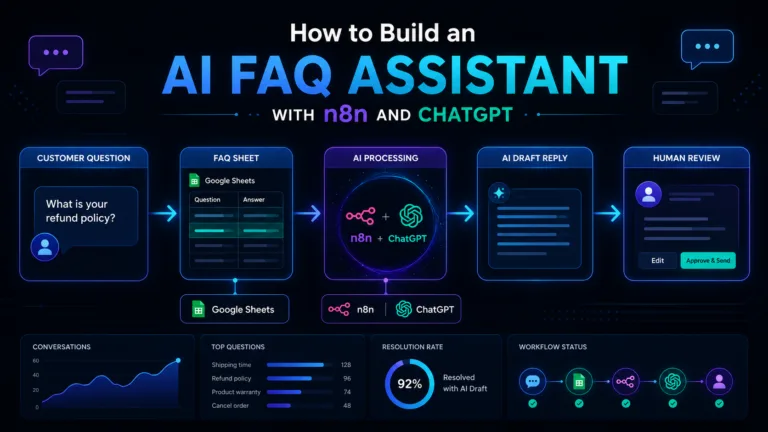
This is the same principle used in How to Build an AI FAQ Assistant With n8n and ChatGPT: AI drafts the answer, but a human reviews it before anything goes to the customer.
That is sensible automation.
The underrated kind.
When AI Automation Is Worth It
AI automation is worth building when it saves time, reduces mistakes or improves response quality.
Good use cases include:
- Website enquiry triage
- FAQ response drafting
- Support classification
- Lead scoring
- Booking message summaries
- Review analysis
- Content repurposing
- Weekly reporting
- CRM follow-up reminders
- Proposal first drafts
If you want more practical examples, read AI Automation Ideas for Small Businesses: 10 Practical Workflows You Can Build.
The best automations are not always the most impressive.
Sometimes the best automation is the one that quietly stops you copying customer messages into a spreadsheet at 10pm.
That is not glamorous.
That is freedom.
Tiny, spreadsheet-shaped freedom.
When AI Automation Is Not Worth It
AI automation is not always the answer.
Avoid it when:
- The process is unclear
- The data is poor
- The risk is high
- Nobody will maintain it
- You cannot test it properly
- The task is already simple
- The automation adds more work than it removes
- You are using AI only because it sounds cool
That last one is common.
Do not add AI because it looks good in a pitch deck.
Add AI because it solves a real problem.
If your workflow does not need AI, do not force it.
A reliable non-AI workflow is better than a clever AI workflow nobody trusts.
Every time.
The Best First AI Automation to Build
If you are wondering where to start, build something small and safe.
Good first choices:
- Summarise incoming enquiries
- Classify support messages
- Draft replies for review
- Create internal notes
- Extract details from emails
- Generate weekly summaries
- Suggest follow-up actions
Avoid starting with:
- Automatic refunds
- Fully automated customer replies
- Legal advice
- Medical advice
- Financial recommendations
- Anything involving sensitive personal data
- Anything where a mistake creates serious consequences
Start with assistance.
Move toward automation only when the workflow earns trust.
This is boring advice.
It is also the advice that prevents disasters.
Sadly, “test carefully and add human review” does not get as many LinkedIn likes as “I built an autonomous AI empire in 12 minutes”.
But it is much better advice.
Final Thoughts
Most AI automation mistakes are not caused by bad tools.
They are caused by bad workflow design.
AI is powerful, but it needs structure.
Automation is reliable, but it needs a clear process.
Humans are still essential, especially where judgement, tone, customer trust and business risk are involved.
The best AI automations are not the ones that do everything.
They are the ones that do one useful thing well.
They collect the right information.
They use AI where AI genuinely helps.
They return structured outputs.
They handle errors.
They keep humans in the loop when needed.
They improve over time.
That is what separates a useful workflow from an expensive mess with arrows.
So before you build your next automation, ask:
Is the process clear?
Is AI actually needed?
Is the prompt specific?
Is the output structured?
Is there a review step?
What happens if this fails?
Answer those questions properly and your automation will already be better than most.
Because the goal is not to build the cleverest workflow.
The goal is to build one that works.
Quietly.
Reliably.
Without emailing a customer something that begins with:
“Dear valued stakeholder, let us unlock your operational journey.”
Nobody deserves that.
The Runtime AI covers practical AI automation, workflow systems, SaaS and vibe coding for people who actually build things. For more practical guides, read AI Agents vs Automation: What’s the Difference?, How to Build Your First AI Automation Workflow with n8n and ChatGPT and AI Automation Ideas for Small Businesses.