What Is Vibe Coding? A Beginner’s Guide to Building Apps With AI
Imagine this.
You have an idea for a useful app: perhaps a booking system, a simple client portal, a dashboard for your business, or a tool that saves you from copying data between spreadsheets every Friday.
Traditionally, that idea came with a fairly depressing to-do list: learn to code, hire a developer, spend months planning, or accept that your “simple app” would somehow become a £15,000 project.
What is vibe coding in practical terms? It is a faster, more conversational way to turn a clear software idea into something you can test, improve and eventually share with real users.
Now there is another route.
You can describe what you want in plain English, let AI help generate the application, review what it creates, improve it through follow-up prompts, and get to a working version far faster than before.
That is the basic idea behind vibe coding.
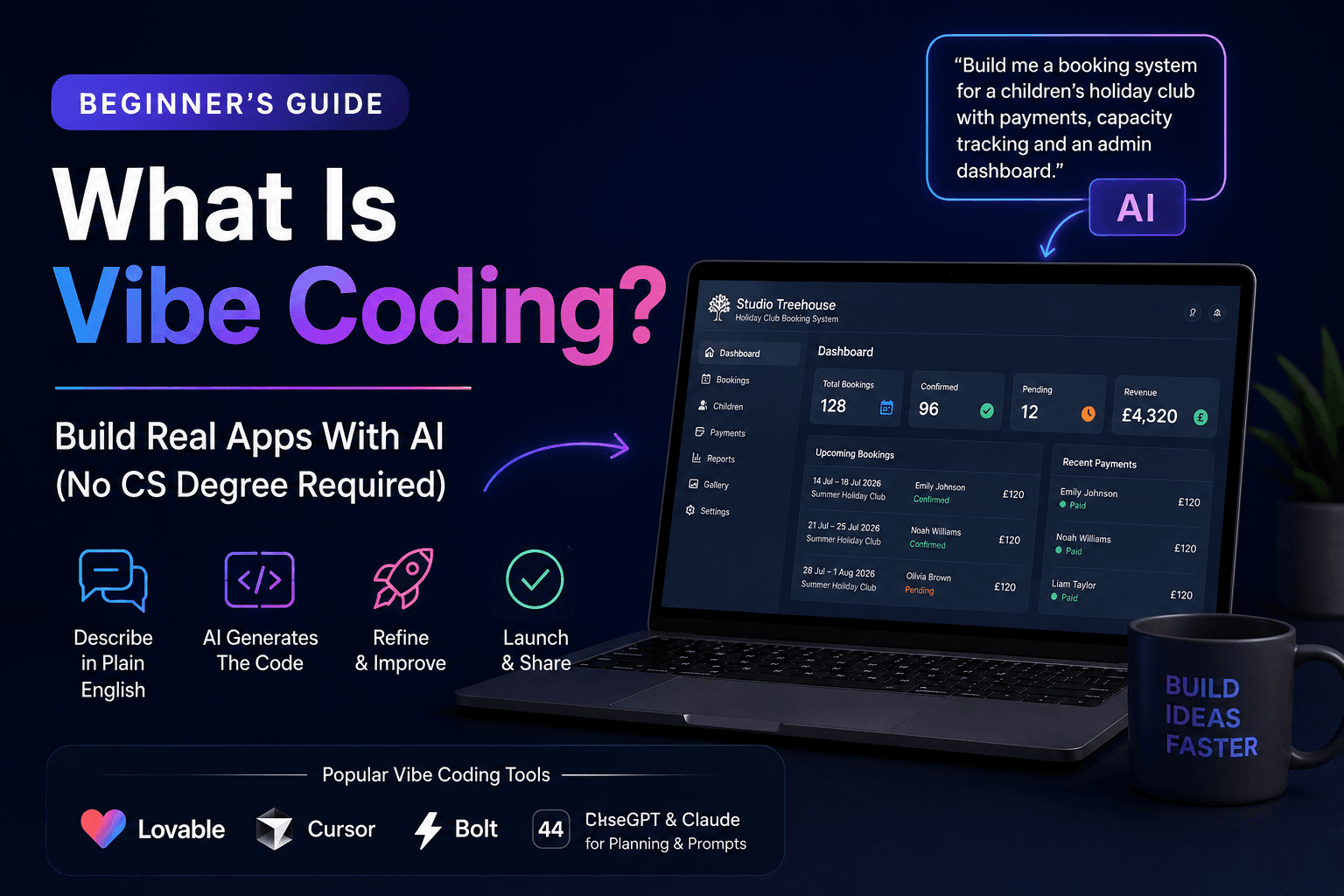
If you are wondering what vibe coding is, it is the process of describing the software you want in plain English and using AI tools to help generate, refine and test the code behind it.
It does not mean pressing a button and magically receiving the next Airbnb. It does mean that the gap between “I have an idea” and “I have something I can test” has become much smaller.
And that is a big deal.
What Is Vibe Coding? A Simple Definition
Vibe coding is a way of building software with AI by focusing on the outcome rather than writing every line of code manually.
Instead of starting with programming syntax, you start with a clear description:
- What should the user be able to do?
- What information should the app collect?
- What should happen after somebody clicks a button?
- What should the admin see?
- What happens when something goes wrong?
You then give that information to an AI coding tool, review the first version, and improve it through more specific prompts.
The “vibe” part is not about being vague. In fact, vague prompts usually create vague apps.
It is about working more like a product designer or systems thinker. You set the direction, describe the workflow, test the result, and keep refining until it does the job properly.
A decent way to think about it is this:
Vibe coding gets you from idea to working version quickly.
Good product thinking gets you from working version to something people can actually rely on.
That second part matters.
AI can make building much faster, but it cannot take responsibility for your customers, your data, your payments, or the odd edge case that only appears at 11:47pm when somebody tries to book a sold-out workshop from an iPhone.
Vibe Coding vs Traditional Coding vs No-Code
These terms get mixed together, so it helps to separate them.
Traditional coding
Traditional coding means writing the application yourself, often using tools such as JavaScript, Python, React, Node.js, SQL and cloud infrastructure.
You have the most control, but you also need more technical knowledge and more time.
No-code and low-code tools
No-code tools let you build workflows or applications using visual blocks, forms and pre-built components.
They are useful, especially for simple internal tools and automations, but they can become restrictive when your app needs unusual business logic or a very specific user experience.
Vibe coding
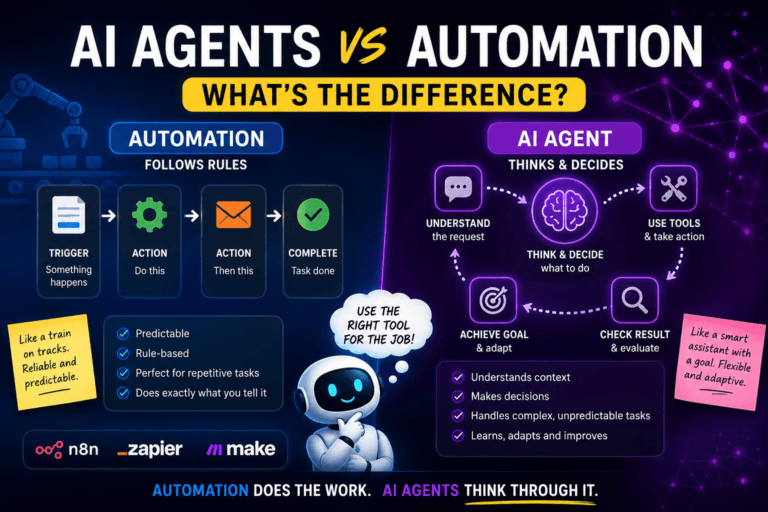
Vibe coding sits somewhere in the middle.
You are not manually writing every line of code. But you are also not limited to a fixed set of visual blocks. You describe the product, the AI generates working code and structure, and you keep steering it.
That makes it particularly useful for:
- Booking systems
- Dashboards
- Internal business tools
- Client portals
- Simple SaaS products
- CRM-style systems
- Lead capture tools
- Automation front-ends
- Niche business applications
It is not a replacement for good engineering in every situation. It is a faster way to get to a useful first version.
The Old Way vs the Vibe Coding Way
Let’s use a booking system as an example.
The old way
You want to build a booking system for a children’s holiday club.
The traditional route might look like this:
- Learn HTML, CSS and JavaScript.
- Learn a backend language and databases.
- Figure out payments, user logins and confirmation emails.
- Learn how to deploy the app.
- Find a developer for the things you cannot solve.
- Wait weeks or months.
- Spend a lot of money.
- Discover the final product is still not quite how you imagined it.
The vibe coding way
The AI-assisted route looks more like this:
- Plan the user journey.
- Describe the system clearly.
- Ask an AI app builder to create the first version.
- Test it.
- Improve the details with follow-up prompts.
- Connect the database, payments and email service.
- Let real people try it.
- Fix the bits that break, confuse people or quietly make you swear under your breath.
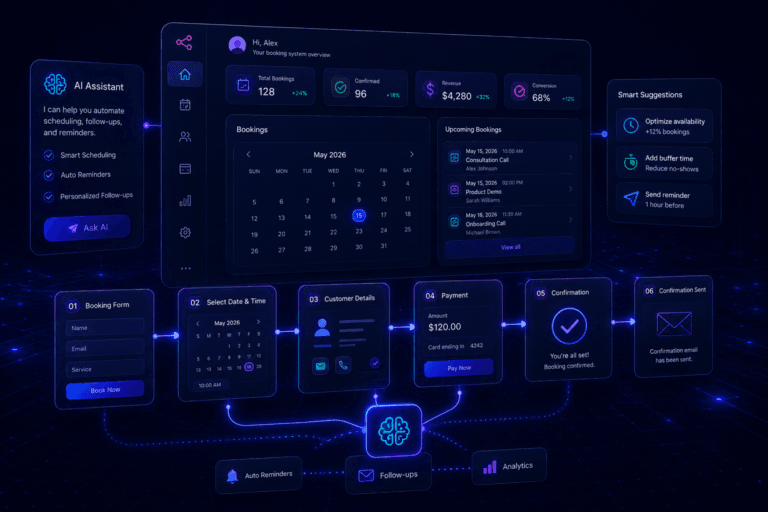
That is much closer to how I built the booking system for my wife’s Studio TreeHouse workshops.
The old process involved a mixture of JotForm, Square payments, WhatsApp messages and a physical notebook. It worked, in the same way a suitcase with a broken wheel technically still works, but it was not ideal.
The new system was built around the real needs of the business:
- Parents can choose workshop dates.
- Booking and child details are stored properly.
- Payments are handled through Square hosted checkout.
- The admin area shows bookings, payment status and attendance dates.
- Capacity is tracked for confirmed bookings.
- Admin users can export booking data.
- A public gallery can be managed from the admin area.
You can read the full case study in How I Built a Booking System Using AI Tools and Automation.
It was not perfect after one prompt. Nothing useful is.
But it became a working, real-world system far more quickly than a traditional build would have allowed.
What Can You Actually Build With Vibe Coding?
The best projects are not always “the next big app”.
They are usually smaller, focused tools that solve a real problem clearly.
Here are some realistic examples.
Booking and scheduling systems
A generic booking tool can be fine. A booking tool built around one particular business can be much better.
Think about:
- Holiday clubs that need multi-day bookings and capacity limits
- Music teachers with recurring lessons and term-based payments
- Mobile dog groomers who need route-aware appointments
- Photographers who need deposits, contracts and gallery delivery
- Fitness coaches who need member plans, check-ins and progress tracking
Internal business dashboards
A lot of businesses still run important processes through spreadsheets, email threads and whatever information somebody remembers from last Tuesday.
A simple dashboard can bring that into one place:
- Leads
- Clients
- Orders
- Bookings
- Tasks
- Invoices
- Support requests
- Performance data
This is often where vibe coding is most valuable because the goal is not to compete with Salesforce. It is to make one business less chaotic.
Client portals
Freelancers and small agencies often need a simple place where clients can:
- Check project status
- Upload or download files
- View invoices
- Send requests
- See the next steps
Most generic project-management software is either too complicated or looks like somebody handed the client the keys to a spaceship cockpit.
A focused portal can be much simpler.
AI-powered lead capture tools
You can build a form that collects a lead’s details, stores the information in a database, alerts the team, and uses AI to categorise the enquiry.
For example:
- Booking system enquiry
- CRM requirement
- Workflow automation request
- Client portal project
- Other
That makes it easier to respond quickly and route enquiries properly.
Simple SaaS products
Vibe coding can also be a practical route into micro-SaaS.
The key is not to build “an AI productivity platform for everyone”.
The key is to solve one painful problem for one identifiable group of people.
For ideas worth validating before you build, read SaaS Ideas 2026: 7 Micro-SaaS Ideas Worth Building.
How Vibe Coding Works in Practice
Here is a practical example of how I would approach a small lead-capture tool for an automation business.
The goal is simple: allow potential clients to describe their operational problem, save the enquiry, categorise it, and make it easy for the business to follow up.
Step 1: Plan before you prompt
Before opening an AI app builder, write down the basics.
What does the visitor see?
A clear form asking for:
- Name
- Business type
- Short description of the problem
- Budget range or project urgency, if relevant
What happens after they submit?
- The enquiry is saved to a database.
- The business receives an email notification.
- An AI model categorises the request.
- The lead receives a confirmation message.
What does the admin see?
- A table of enquiries
- Categories
- Lead status
- Search and filters
- Notes
- A simple “contacted” or “converted” status
This planning stage matters more than people think.
A good AI app builder can execute a clear plan quickly. It cannot rescue a plan that consists of “make it cool and maybe include AI”.
Step 2: Write the opening prompt
A useful first prompt could look like this:
Build a lead-capture web app for an AI automation business. The public form should collect name, email, business type and a description of the main operational problem. Save each submission to a database. Create an admin dashboard where I can view, search and filter enquiries. Add statuses for new, contacted and converted. Use AI to categorise each enquiry as booking system, workflow automation, CRM, client portal or other. Make the design clean, modern and mobile-friendly.
That is already much better than:
Build me a lead app.
The difference is context.
Step 3: Review the first version
The first build will usually be a good draft, not a finished product.
You might notice:
- The form feels too generic.
- The labels sound robotic.
- The dashboard does not show the most useful information first.
- The category colours are unclear.
- The mobile layout needs work.
- You need a “mark as contacted” button.
- Error messages are missing.
Each of those is a follow-up prompt.
You do not need to start again from zero.
Step 4: Test real scenarios
This is where you stop admiring the preview and start behaving like the person who will have to support the thing later.
Test questions such as:
- What happens if someone submits only an email address?
- What if the description is one word?
- What if the AI categorisation fails?
- What if the database connection fails?
- What if a normal user tries to open an admin page?
- What happens on a phone?
- What happens when there are 200 enquiries rather than two?
That is the difference between a slick demo and a useful system.
Step 5: Share it with real people
Do not keep building in isolation for three weeks.
Show it to someone who would actually use it.
Watch where they hesitate. Listen to what they ask. Notice which features they ignore.
Users are very good at finding the thing you assumed was obvious.
The Tools That Make Vibe Coding Possible
There is no single “best” tool for everyone. The right choice depends on how much control you want, whether you are starting from scratch, and how complex the app needs to become.
Lovable — Best for Visual Web Apps and Business Tools
Lovable is a strong option when you want to move from an idea to a polished web app quickly.
You describe the screens, user journey and features in plain English, then refine the result through prompts. It is particularly useful for dashboards, booking systems, client portals, internal business tools and early SaaS products.
Lovable can connect with Supabase for database, authentication, storage and backend capabilities.
Best for: booking systems, dashboards, client portals, admin panels, early SaaS products and business tools.
Reality check: it can get you to a convincing first version quickly, but you still need to test permissions, error handling, unusual user journeys and business rules properly.
Cursor — Best When You Want More Control Over the Code
Cursor is an AI coding environment for people who want to work directly with a codebase.
It can help you understand files, plan changes, build features, investigate bugs and refactor existing code. It is particularly useful when a project has moved beyond a simple prototype and you want more flexibility than a visual app builder provides.
Best for: existing codebases, custom features, technical builders and applications that are becoming more complex.
Cursor is not only for professional developers. But it does reward curiosity. The more willing you are to understand what the code is doing, the more powerful it becomes.
Bolt — Best for Fast Experiments and Prototypes
Bolt is useful when speed matters.
It is a browser-based AI builder that can help you create websites, web apps and early prototypes without setting up a local development environment first.
Best for: proof of concepts, demos, early experiments and trying out an idea before committing more time.
A prototype is not a final product, but it is often the fastest way to find out whether your idea is worth developing.
Base44 — Worth Testing Alongside Other AI App Builders
Base44 is another AI app-building platform designed to turn prompts into working apps.
It is worth testing when you are comparing workflows, especially for business tools, back-office systems, customer portals and early product ideas.
Best for: testing ideas quickly, comparing AI app-builder workflows and creating focused internal tools.
Claude and ChatGPT — The Planning Layer
AI app builders are great at executing a plan.
Claude and ChatGPT are especially useful before and during the build process for:
- Mapping user journeys
- Designing database fields
- Writing clear prompts
- Identifying edge cases
- Planning permissions
- Creating test scenarios
- Improving onboarding text
- Explaining unfamiliar code
The quality of your app often depends on the quality of the thinking before you build it.
That is why prompt engineering and vibe coding go together so well.
For a practical framework, read Prompt Engineering for Beginners.
Prototype vs Production: The Important Difference
This is the part many “build an app with AI in 10 minutes” videos skip.
A prototype proves that an idea can work.
A production app needs to work reliably when real people depend on it.
That means thinking about:
- Login and authentication
- User permissions
- Data privacy
- Payments
- Email delivery
- Error handling
- Backups
- Mobile behaviour
- Database rules
- Security
- What happens when an external service fails
You do not need to become a senior software engineer before you build anything.
But you do need to take responsibility for what happens after you invite real users in.
A booking system that looks beautiful but allows someone to see another parent’s details is not “mostly finished”. It is a problem.
A dashboard that works perfectly until the payment provider times out is not ready for customers yet.
Vibe coding helps you build faster. It does not remove the need for testing.
Before You Let Real Users In: A Simple Launch Checklist
Before sharing an AI-built app with customers, clients or your team, check these basics.
- Authentication: Can people only access the areas they are supposed to see?
- Permissions: Can a normal user accidentally access admin data?
- Data collection: Are you only collecting information you genuinely need?
- Payments: Have you tested successful payments, failed payments, cancellations and refunds?
- Emails: Do confirmation and notification emails actually arrive?
- Error handling: What happens if the database, payment provider or automation fails?
- Mobile experience: Does the app work properly on a phone?
- Backups and exports: Can you recover or export important data?
- Real-user testing: Have at least two people used it without you explaining every click?
It is not glamorous.
But it is the difference between “I built a cool thing with AI” and “I built a useful tool people can trust”.
Who Is Vibe Coding For?
Founders and entrepreneurs
You have an idea for a product, but you do not want to spend a year learning to code or six months waiting for a developer before you can test it.
Freelancers and agencies
You want to offer more value to clients by creating focused portals, dashboards, lead tools or workflow systems without needing a large in-house engineering team.
IT professionals and operations people
You understand systems, processes, integrations and business problems, even if application development has not been your main job.
That is a very useful starting point.
You may not know every programming language, but you probably already know how to think in workflows:
When this happens, do that.
Store this information here.
Notify this person.
Escalate when something fails.
That is the foundation of many useful business tools.
Small business owners
You need something specific: a booking system, customer portal, internal tracker or dashboard.
Generic software may get you 70% of the way there. An AI-assisted custom tool may get you much closer to what your business actually needs.
Curious people with a real problem to solve
The best first project is rarely “my billion-pound startup”.
It is usually something smaller:
- A tracker for a process you already do manually
- A simple dashboard for data you already have
- A form that sends useful information to the right place
- A portal for people you already work with
- A tool that replaces a repetitive spreadsheet task
Start there.
Your First Vibe Coding Project
Do not begin with a huge social network, a marketplace or an all-in-one business operating system.
That is how you end up with 73 browser tabs, no working product and a very impressive folder called final-final-v2.
Start with something real and small.
Here is a practical route.
Step 1: Choose a problem you understand
Pick something you have experienced personally.
For example:
- Chasing clients for information
- Managing bookings manually
- Collecting leads from multiple places
- Updating a spreadsheet every week
- Sending the same email replies repeatedly
- Keeping track of project status
Step 2: Write down the workflow
Answer these questions:
- Who uses the app?
- What do they see first?
- What information do they enter?
- What happens after they submit it?
- What should the admin see?
- What should happen when something goes wrong?
Step 3: Build the smallest useful version
Do not add every feature you might want eventually.
Build the one thing that solves the main problem.
A lead tool does not need advanced reporting on day one.
A booking app does not need loyalty points, referral codes and a machine-learning recommendation engine before it can accept one successful booking.
Step 4: Test it with a real person
Watch them use it.
Do not explain anything unless they are genuinely stuck.
Their confusion is useful feedback.
Step 5: Improve one thing at a time
Iterate based on what matters most:
- Clearer labels
- Better mobile layout
- Easier admin process
- Better confirmation emails
- Cleaner dashboard
- Fewer unnecessary steps
That is how an early prototype becomes something valuable.
Frequently Asked Questions About Vibe Coding
By now, the answer to what is vibe coding should be clear: it is not about blindly trusting AI to build everything for you. It is about using AI to move from an idea to a useful working version faster, while still testing the details that matter.
Is vibe coding the same as no-code?
Not exactly.
No-code tools usually rely on pre-built visual components and workflows. Vibe coding uses AI to generate or modify the code and structure behind an app from natural-language instructions.
They can overlap, and both can be useful.
Can you build a real SaaS product with vibe coding?
Yes, especially an early version of a focused micro-SaaS product.
But the more users, data, payments and business rules your product has, the more important testing, security, documentation and proper technical review become.
Do you need to know how to code?
You do not need to be an experienced developer to begin.
However, learning basic concepts such as databases, authentication, APIs, webhooks and user permissions will make you much better at planning, testing and improving what AI creates.
What is the best vibe coding tool?
There is no universal winner.
Use Lovable when you want a visual web app or business tool quickly. Use Cursor when you want more direct control over code. Use Bolt for fast prototypes. Try Base44 when comparing prompt-led app builders.
Choose based on your project, not internet hype.
Is vibe coding safe for customer data and payments?
It can be, but you should not assume it is safe automatically.
Anything handling personal data, payment information or sensitive business processes needs careful testing, secure configuration and sensible permissions before real users rely on it.
The Bigger Picture
Vibe coding is not just a shortcut for developers.
It changes who can take an idea seriously.
For a long time, software ideas were limited by technical knowledge, budget or access to a development team.
That barrier has not disappeared completely. But it has become much lower.
You can now move from:
“This process is annoying.”
to:
“I built a small tool to make it better.”
much faster than before.
That does not mean every idea will become a business.
It does mean more people can test useful ideas, improve internal processes, build niche tools and create products that would previously have stayed trapped in a notebook.
The tools are here.
The important question is no longer “Can I build this?”
It is:
“What real problem do I understand well enough to solve?”
Start there.
Build something small.
Test it.
Improve it.
And do not be surprised when your first rough idea becomes something people actually use.
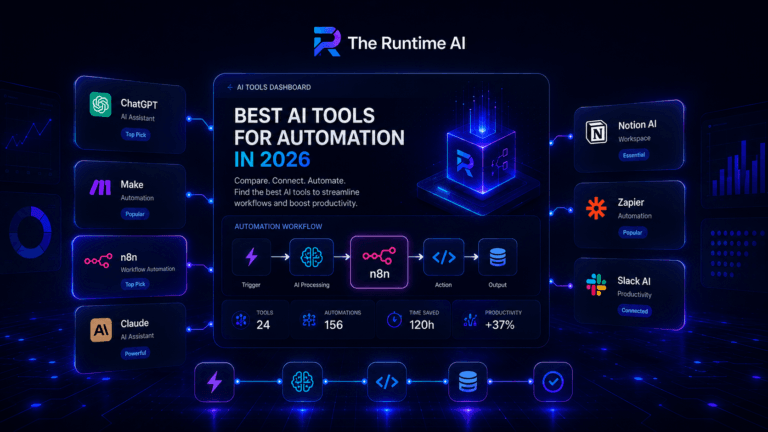
The Runtime AI covers practical AI automation, workflow systems, SaaS and vibe coding for people who actually build things. For more on the tools behind AI-assisted building, read The Best AI Tools for Automation in 2026. For a practical n8n example, read How to Build Your First AI Automation Workflow with n8n and ChatGPT.